
The 6 Best Free LinkedIn Post Generators in 2026 (We Tested Them)

By Sam Cassman · Last verified
Are you looking for a free LinkedIn post generator? There are dozens, they all promise posts that sound like you, and "free" means something different on every one. So we gave six of them the exact same brief and kept everything they wrote. In this article you'll see each tool's actual draft, what you get without paying, and the catch. By the end, you'll know which one to use and which drafts you shouldn't post as they are.
Free LinkedIn post generators are everywhere, and most of them make the same promise: posts that sound like you, in seconds. We wanted to know what you actually get, so we gave six of them the same brief, word for word, and kept every draft.
Some were surprisingly good. Some were generic. And two of the most convincing ones made things up. Flypost is ours, so it's first on the list, but every tool gets the same treatment.
What is the best free LinkedIn post generator?
For the strongest free draft with no sign-up, use ContentIn's website generator. For free scheduling as well as writing, Buffer or Typegrow. For a quick start inside a tool you already use, Grammarly. And if you want drafts built from your own material rather than guesses, Flypost, which has a free trial rather than a free plan.
Here's the quick version:
| Tool | Best for | What's free | Paid from |
|---|---|---|---|
| 1. Flypost | Posts built on your own material | 7-day trial, free tools on flypost.io | $49/mo |
| 2. ContentIn | The strongest free draft, no sign-up | Website generator, no login | $39/mo (the app) |
| 3. Typegrow | A free plan that writes and schedules | Free plan | $29/mo per seat |
| 4. Buffer | Free scheduling with a simple AI helper | Free plan: 3 channels, AI Assistant | $5/mo per channel |
| 5. MagicPost | Trying a full LinkedIn tool for a week | 7-day trial, a few AI credits | $69/mo for the generator |
| 6. Grammarly | A quick draft if you already use Grammarly | Free generator page, 100 AI prompts a month | $12/mo (Pro) |
How we tested them
Every tool got exactly this brief, on 12 November 2026:
Write a LinkedIn post for a B2B founder about why the first two lines of a LinkedIn post matter more than the rest. Friendly, practical tone. Under 200 words.
We used each tool's free plan, free trial or free page, took the first draft it gave us, and didn't edit a word. Where a tool asked for a tone, we picked friendly. The drafts are below, exactly as written.
Which free LinkedIn post generators are worth trying?
1. Flypost
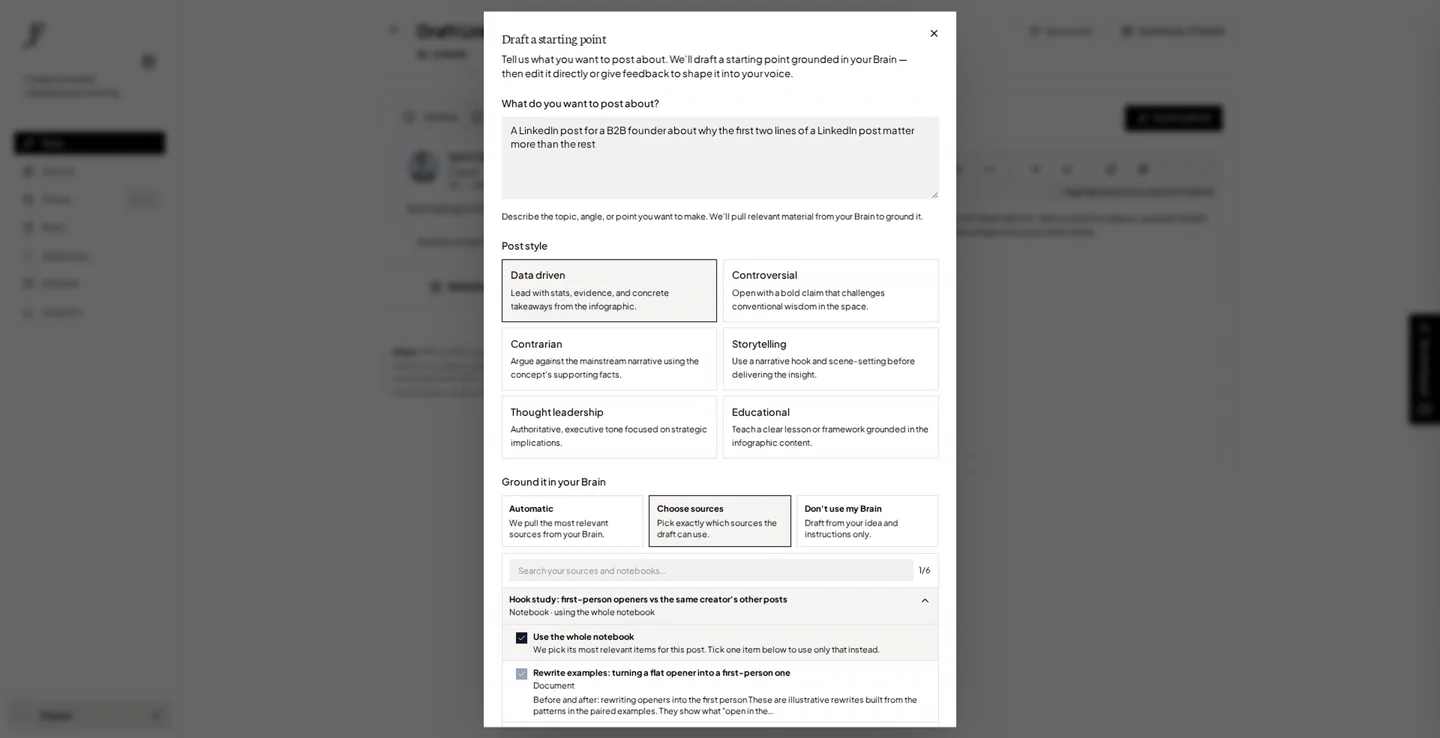
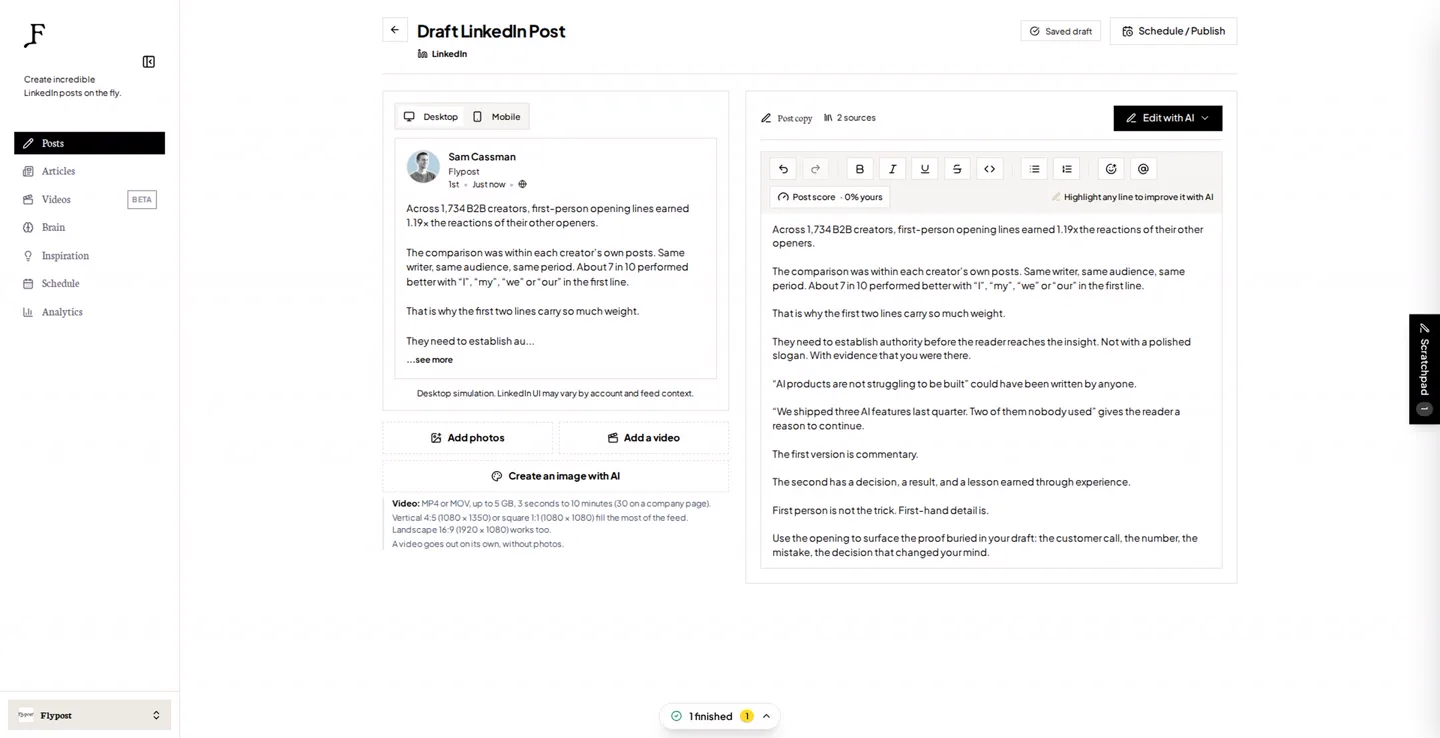
A generator that knows nothing about you has two choices: write something generic, or make something up. Flypost has a third. You fill its Brain with what you already know, your blog, your YouTube channel, your documents, and it drafts from that.
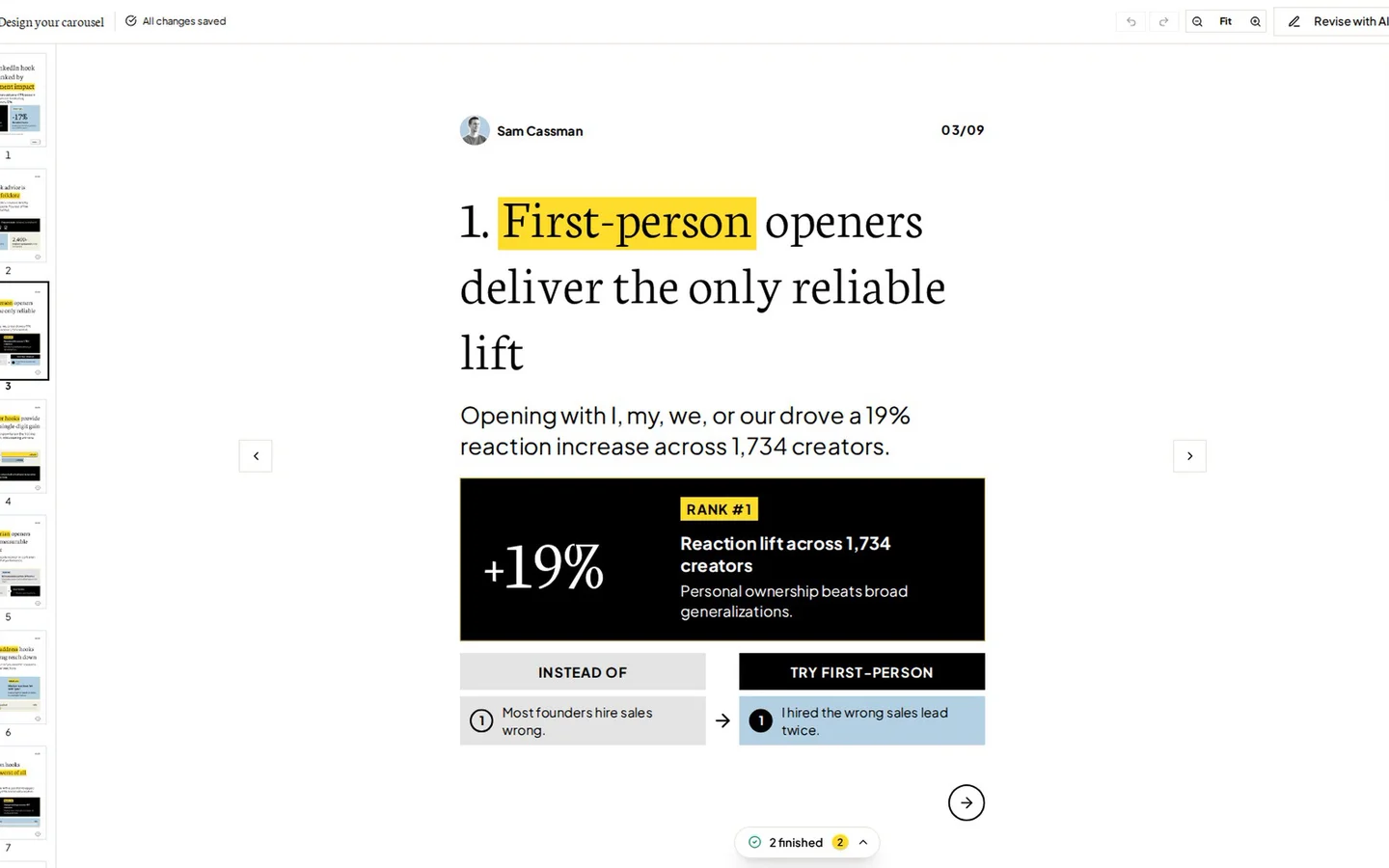
For our test we pointed it at our own study of LinkedIn opening lines. So its draft opened on a real finding, that first lines starting with "I", "my", "we" or "our" earned about 19% more reactions across 1,734 creators, and ended on "First person is not the trick. First-hand detail is." No invented client, no borrowed experience. Your drafts depend on what you put in the Brain, which is the point.
It also goes past text. Flypost Designer designs carousels and infographics in your brand, and the app makes memes, stat graphics and long-form LinkedIn articles too. A post score flags AI-sounding phrases before you post, built on our study of 116,000+ LinkedIn posts, and it schedules straight to LinkedIn.
| At a glance | |
|---|---|
| What's free | 7-day trial; free tools on flypost.io with no account |
| Price | $49/mo Creator, $79/mo Pro, $149/mo Agency (20% off yearly) |
| Posts to LinkedIn via | LinkedIn's official sign-in, through an approved partner |
| Our test draft | About 150 words, opened on a real finding from its sources |
| Best for | Founders and teams with a blog, videos or documents to draw on |
Pros
- Drafts from your own material, so it doesn't need to invent
- Shows which sources each draft used
- Carousels, infographics, memes and articles as well as text
- A post score built on real LinkedIn data
Cons
- No free plan, just the 7-day trial
- LinkedIn only
2. ContentIn
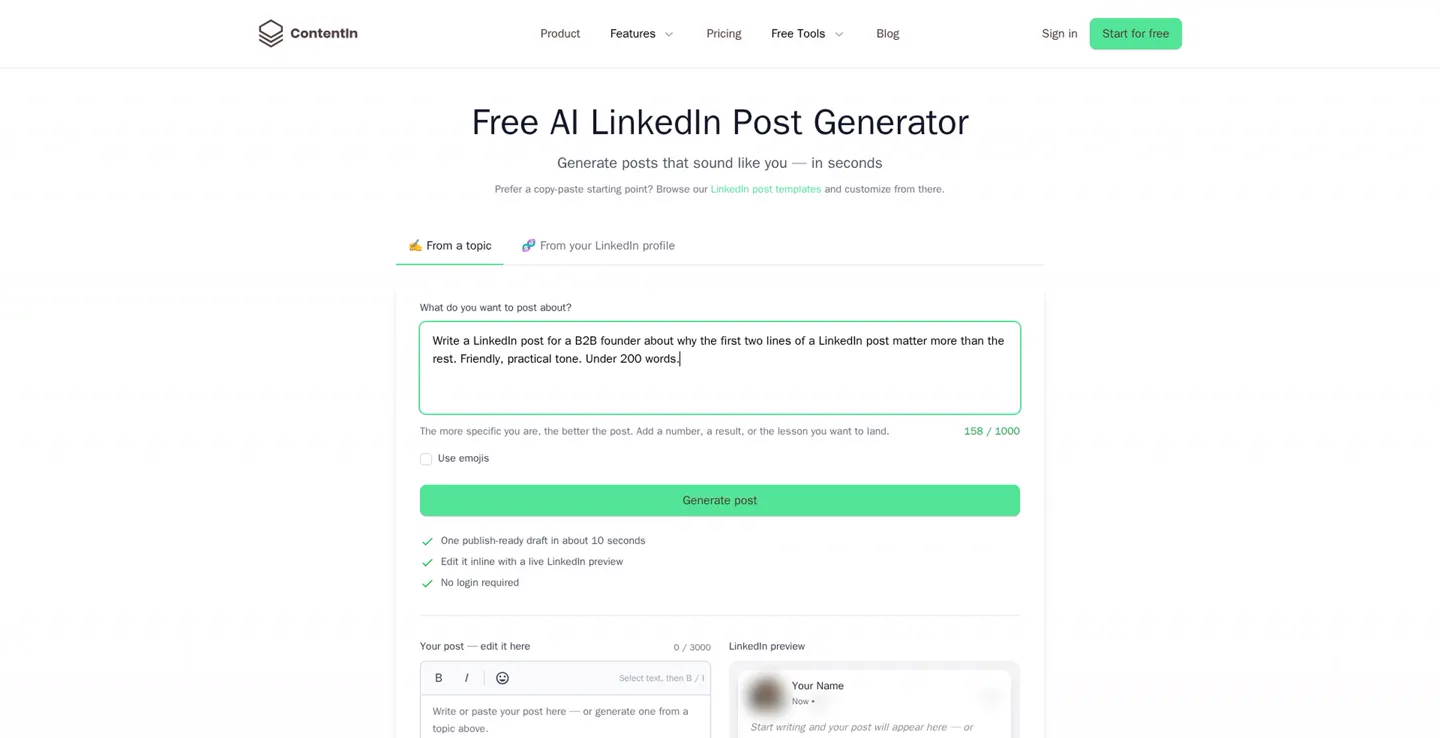
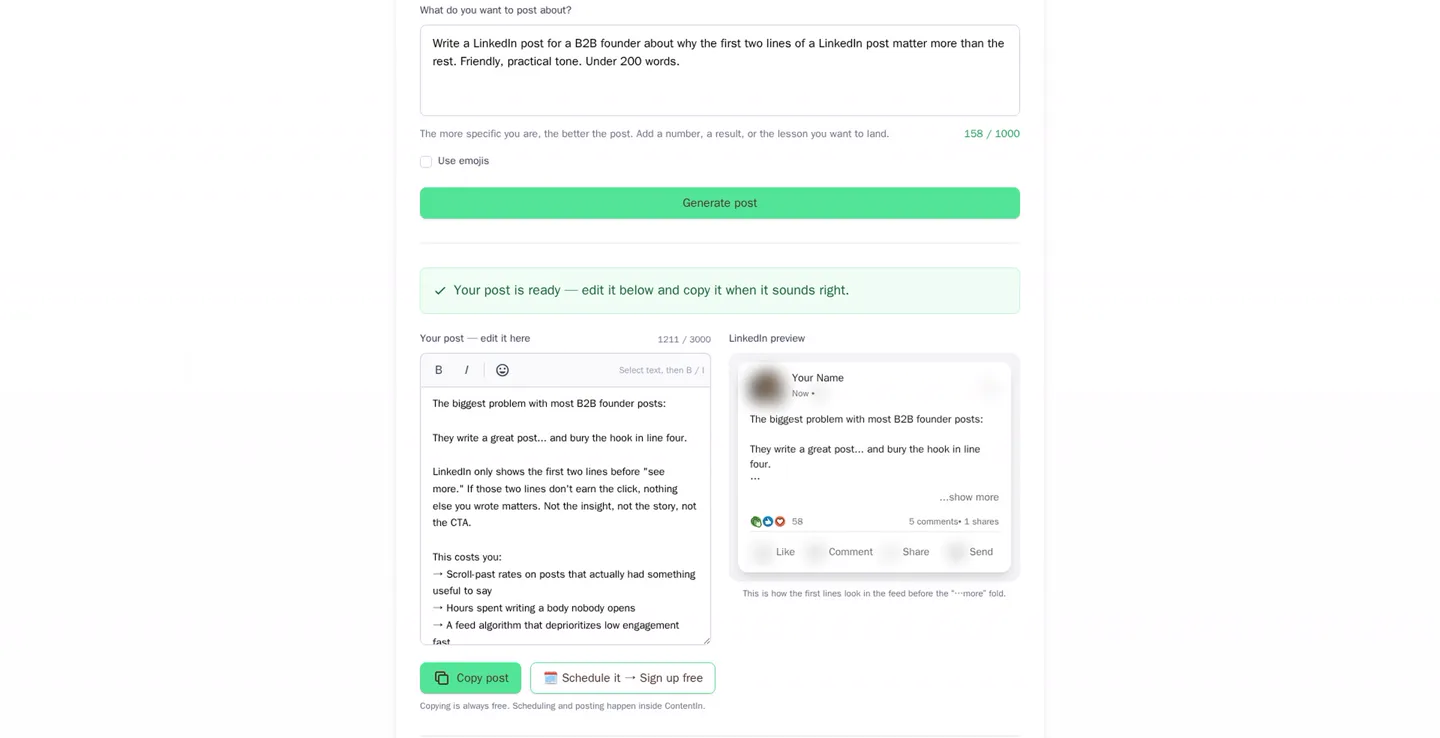
ContentIn's free generator sits on its website and needs no login and no email. Type a topic, or paste your LinkedIn profile, and it writes a draft with a live LinkedIn preview beside it. Ours was the best structured of the six: a real hook, what the problem costs you, the fix in steps and a before-and-after example.
The catch is that it writes your experience for you. "Here's how I fixed it for my own posts", and "noticeably more completions and comments", are claims you'd have to make true before posting. Scheduling and posting need the paid app.
The biggest problem with most B2B founder posts:
They write a great post... and bury the hook in line four.
LinkedIn only shows the first two lines before "see more." If those two lines don't earn the click, nothing else you wrote matters. Not the insight, not the story, not the CTA.
Here's how I fixed it for my own posts: I write the first two lines last. [...] The result: same content, noticeably more completions and comments, because people actually get past line two.
Your post isn't competing with your industry. It's competing with every other two lines in the feed.
| At a glance | |
|---|---|
| What's free | Website generator, no login (topic or profile) |
| Price | The app: $39/mo Growth ($31 yearly), $59/mo Pro ($48 yearly) |
| Posts to LinkedIn via | LinkedIn's official API (paid app) |
| Our test draft | About 220 words, strong hook, first-person claims added |
| Best for | A strong free draft without signing up for anything |
Pros
- No sign-up at all
- Live LinkedIn preview beside the draft
- The best structured draft in our test
Cons
- Writes first-person results you'd have to make true
- Scheduling and posting are paid
3. Typegrow
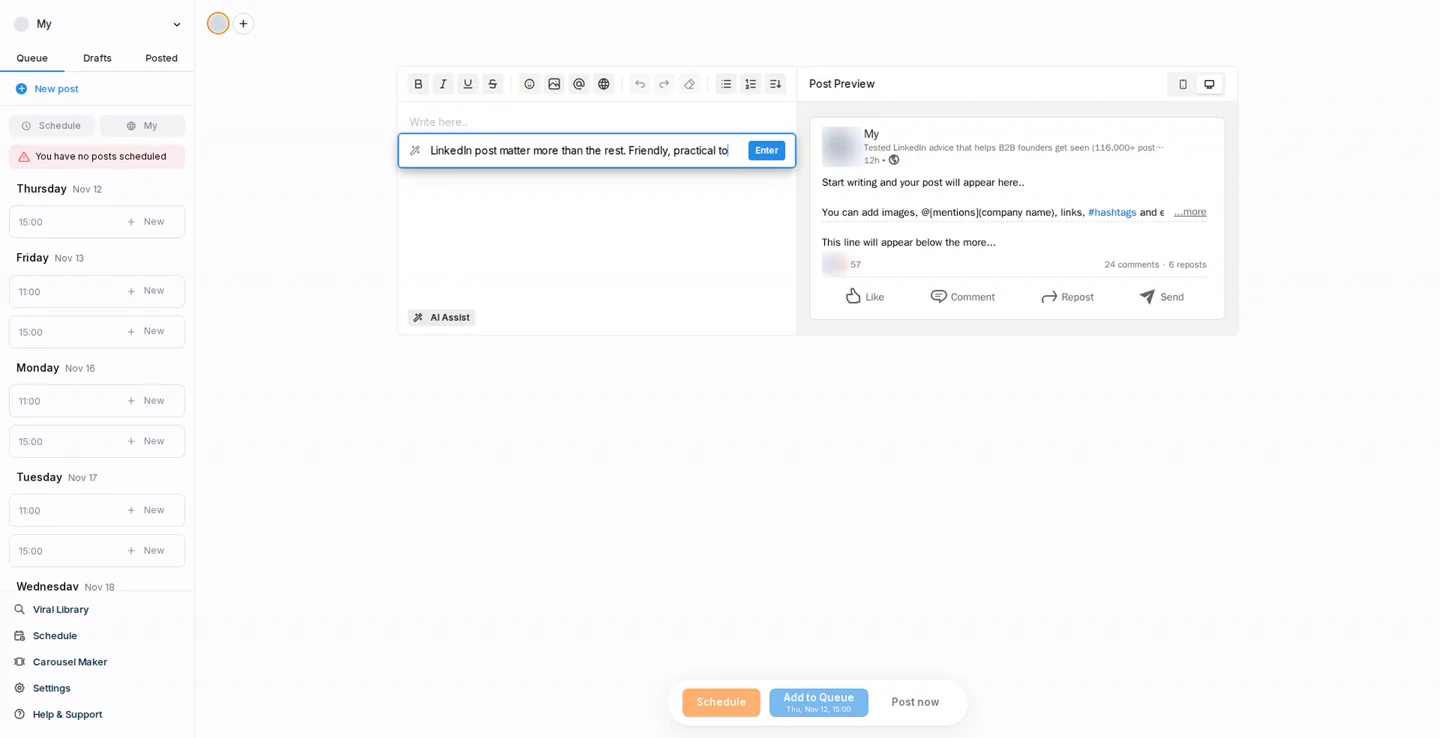
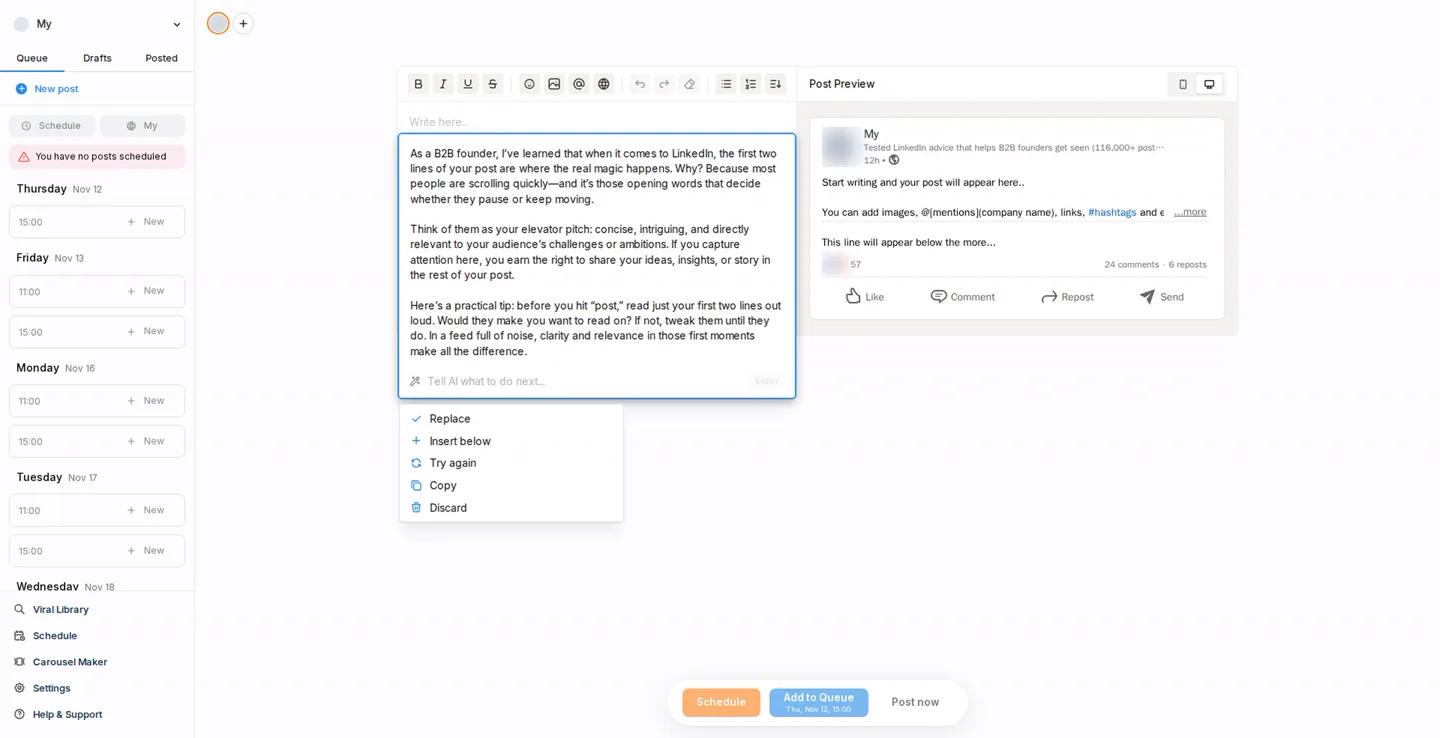
Typegrow has a genuine free plan: sign in with LinkedIn and you get an editor with a LinkedIn preview, a posting queue, a viral post library and a carousel maker. Its free-plan limits aren't published anywhere, but we generated two drafts and it never asked us to upgrade.
The draft itself was the weak spot. It opened "As a B2B founder, I've learned..." and called the first two lines "where the real magic happens", the kind of opener anyone could write.
As a B2B founder, I've learned that when it comes to LinkedIn, the first two lines of your post are where the real magic happens. Why? Because most people are scrolling quickly, and it's those opening words that decide whether they pause or keep moving.
Think of them as your elevator pitch: concise, intriguing, and directly relevant to your audience's challenges or ambitions. [...]
| At a glance | |
|---|---|
| What's free | Free plan (limits not published) |
| Price | $29 per seat a month ($20 yearly) |
| Posts to LinkedIn via | LinkedIn's official API |
| Our test draft | About 140 words, generic |
| Best for | Writing and scheduling without paying |
Pros
- A genuinely free plan
- Editor, preview, queue and scheduling
- Viral post library and carousel maker
Cons
- Generic drafts
- Free-plan limits aren't published
4. Buffer
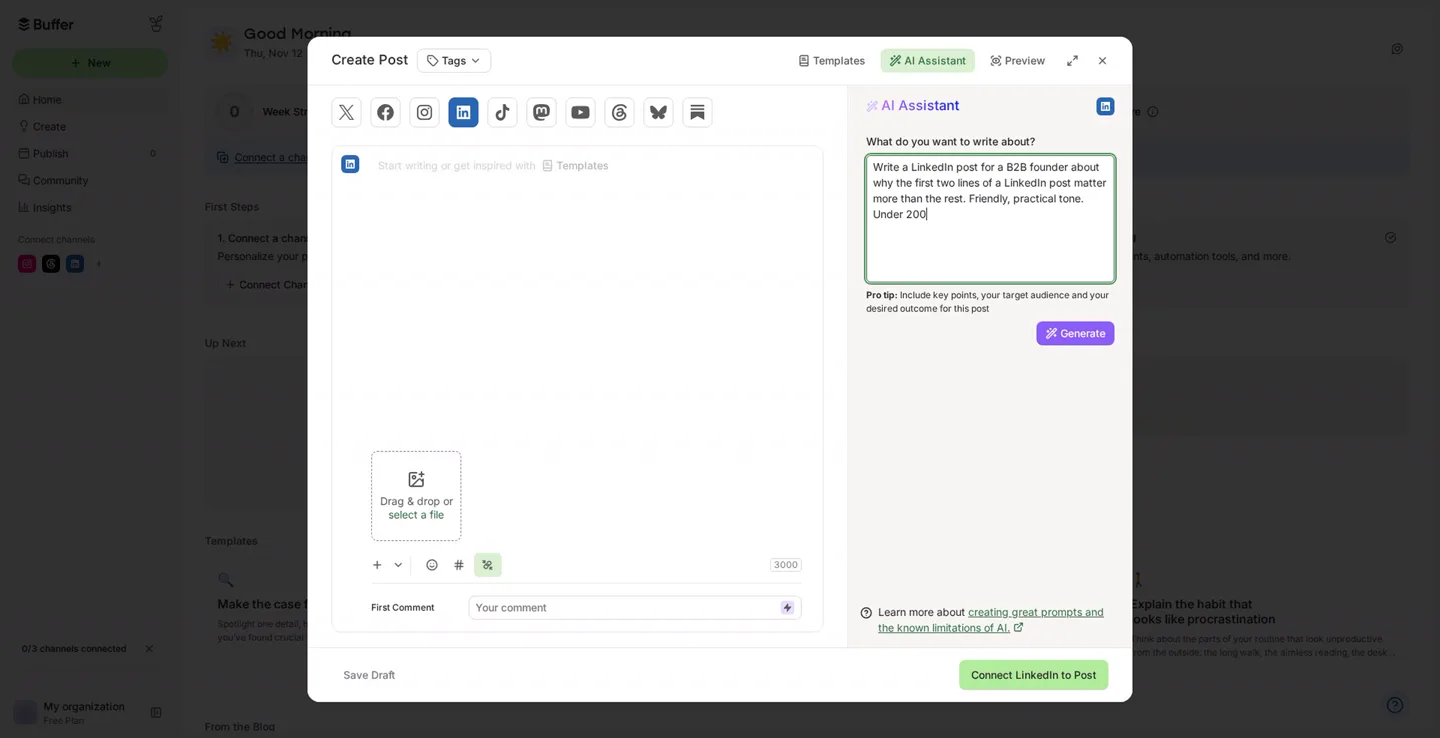
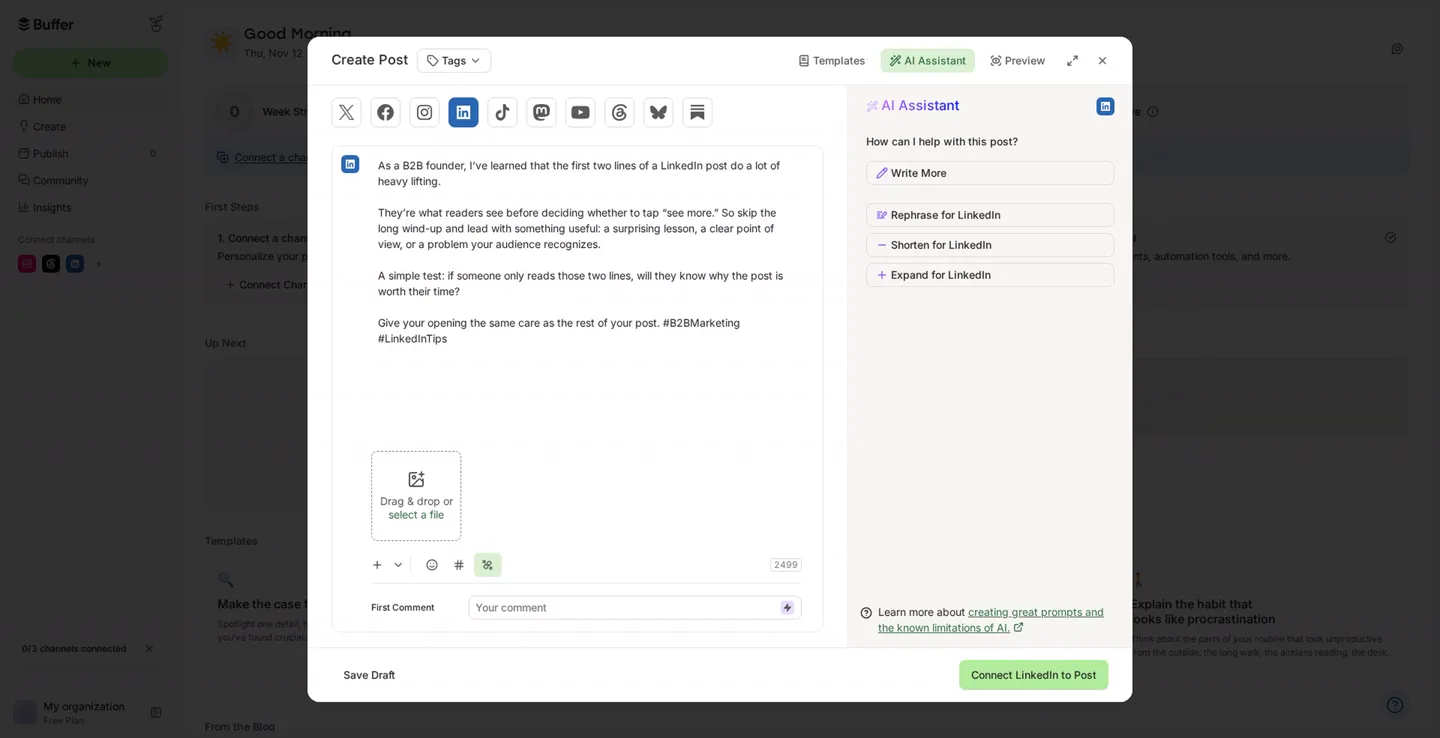
Buffer isn't a LinkedIn specialist, but its free plan is generous: three channels, ten scheduled posts per channel at a time, and an AI Assistant that works before you've connected anything. It wrote the shortest draft of the six, and it didn't invent a thing. It even reminds you to review AI answers before publishing.
You can only revise with presets like Rephrase, Shorten and Expand, though, not tell it what to change. And Buffer says what you type is shared with OpenAI.
As a B2B founder, I've learned that the first two lines of a LinkedIn post do a lot of heavy lifting.
They're what readers see before deciding whether to tap "see more." So skip the long wind-up and lead with something useful: a surprising lesson, a clear point of view, or a problem your audience recognizes.
A simple test: if someone only reads those two lines, will they know why the post is worth their time?
Give your opening the same care as the rest of your post. #B2BMarketing #LinkedInTips
| At a glance | |
|---|---|
| What's free | Free plan: 3 channels, 10 scheduled posts each, AI Assistant |
| Price | Essentials $5/mo per channel ($60 a year), Team $10/mo per channel |
| Posts to LinkedIn via | LinkedIn's official API |
| Our test draft | About 80 words, plain, nothing invented |
| Best for | Free scheduling across LinkedIn and other networks |
Pros
- Free scheduling to LinkedIn and other networks
- The AI Assistant needs no setup
- Didn't invent anything
Cons
- Short, generic drafts
- Preset edits only, no instructions
- A general social tool, not LinkedIn-first
5. MagicPost
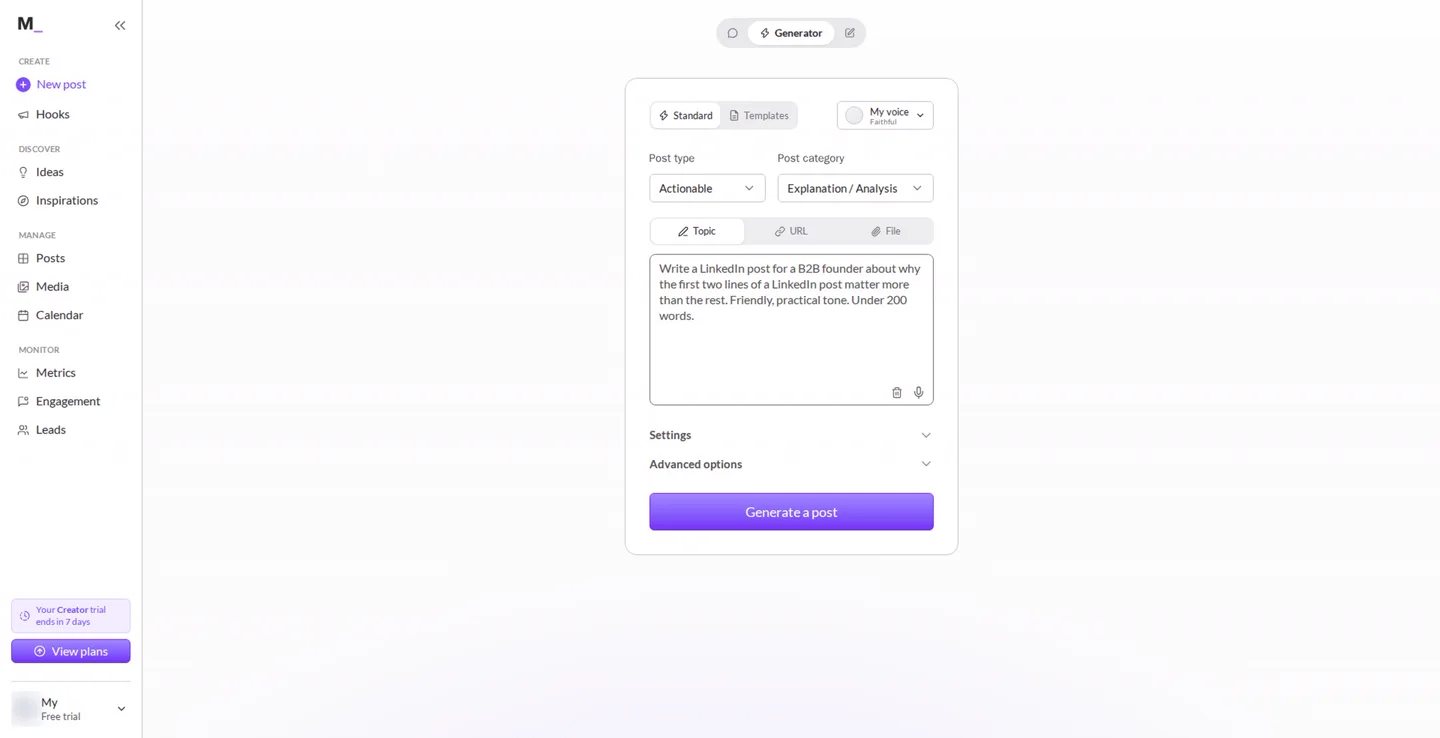
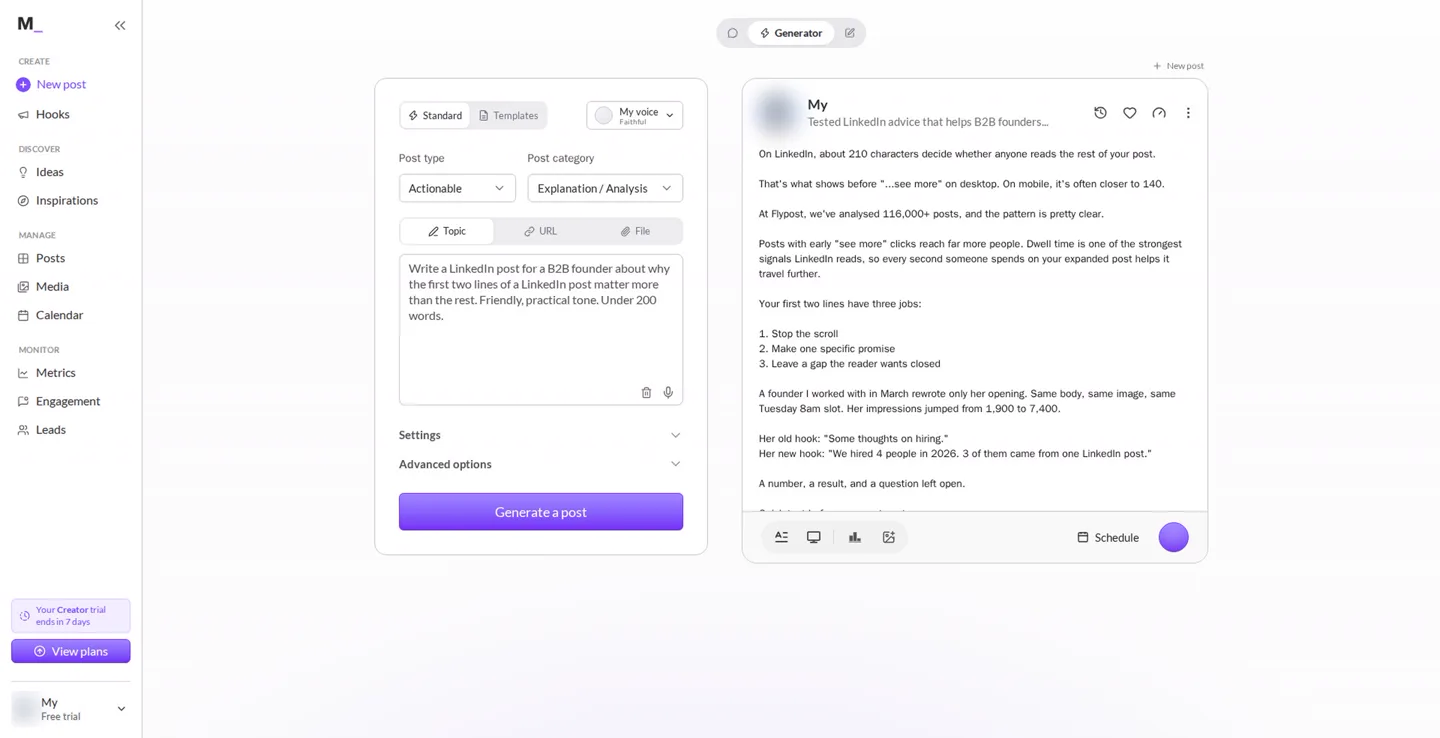
MagicPost is a full LinkedIn tool: a generator with post types and inputs from a topic, a link or a file, plus scheduling, analytics and comment tools. Its free trial runs seven days with a handful of AI credits. It read our LinkedIn profile first, and wrote the most polished-looking draft of the six.
It also made things up. A "founder I worked with in March" whose impressions "jumped from 1,900 to 7,400", a hiring hook she supposedly used, and a list of "25 tested openers" to send readers. None of it exists. And the cheaper Growth plan doesn't include the post generator, so the real price is the $69 Creator plan.
On LinkedIn, about 210 characters decide whether anyone reads the rest of your post. [...]
A founder I worked with in March rewrote only her opening. Same body, same image, same Tuesday 8am slot. Her impressions jumped from 1,900 to 7,400.
Her old hook: "Some thoughts on hiring." Her new hook: "We hired 4 people in 2026. 3 of them came from one LinkedIn post." [...]
Want my list of 25 tested openers? Send me a private message and I'll happily share it.
| At a glance | |
|---|---|
| What's free | 7-day trial with a few AI credits |
| Price | $49/mo Growth (no generator), $69/mo Creator (yearly: $29 and $39) |
| Posts to LinkedIn via | LinkedIn's official API |
| Our test draft | About 230 words, polished, with an invented client story |
| Best for | Trying a whole LinkedIn routine in one tool for a week |
Pros
- Reads your LinkedIn profile for context
- Topic, link or file as input
- Polished, structured drafts
Cons
- Invented a client story and numbers
- The generator needs the $69 plan
6. Grammarly
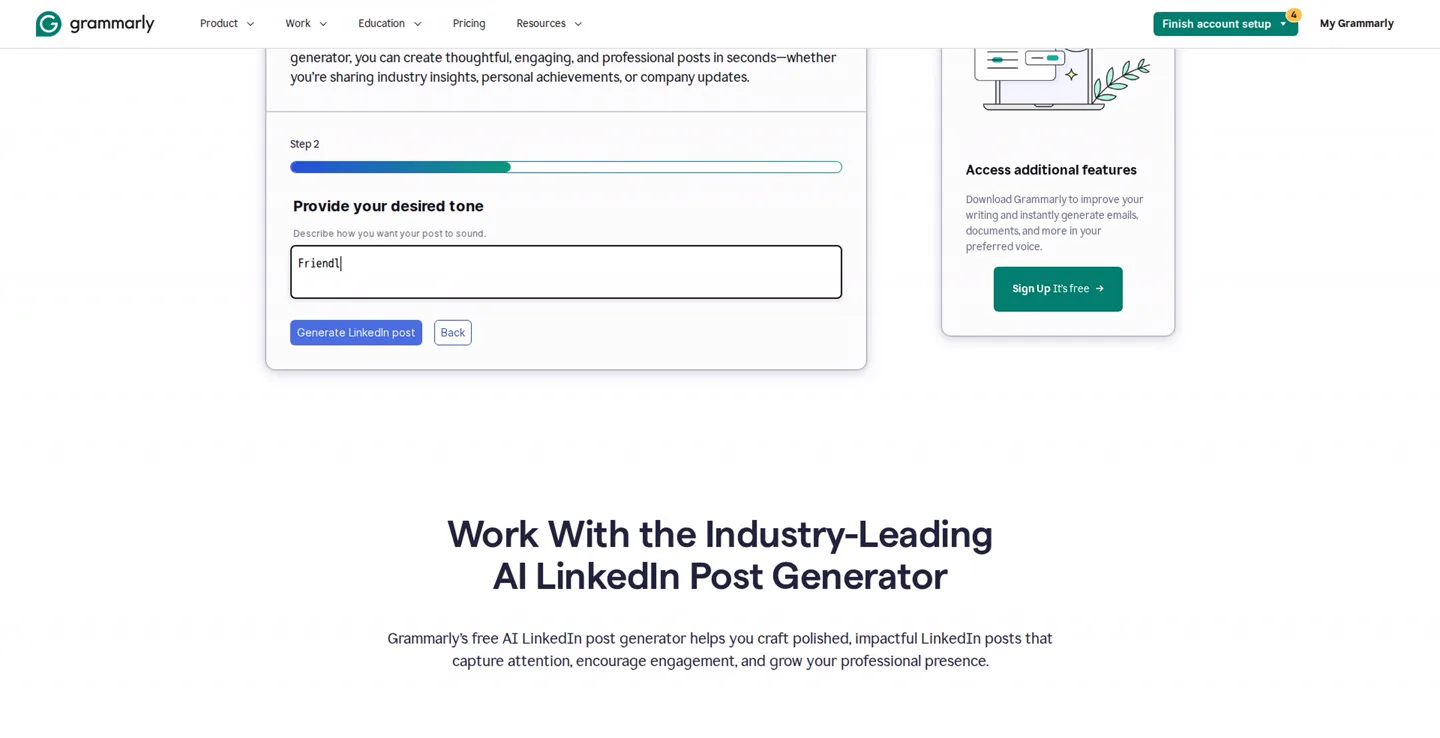
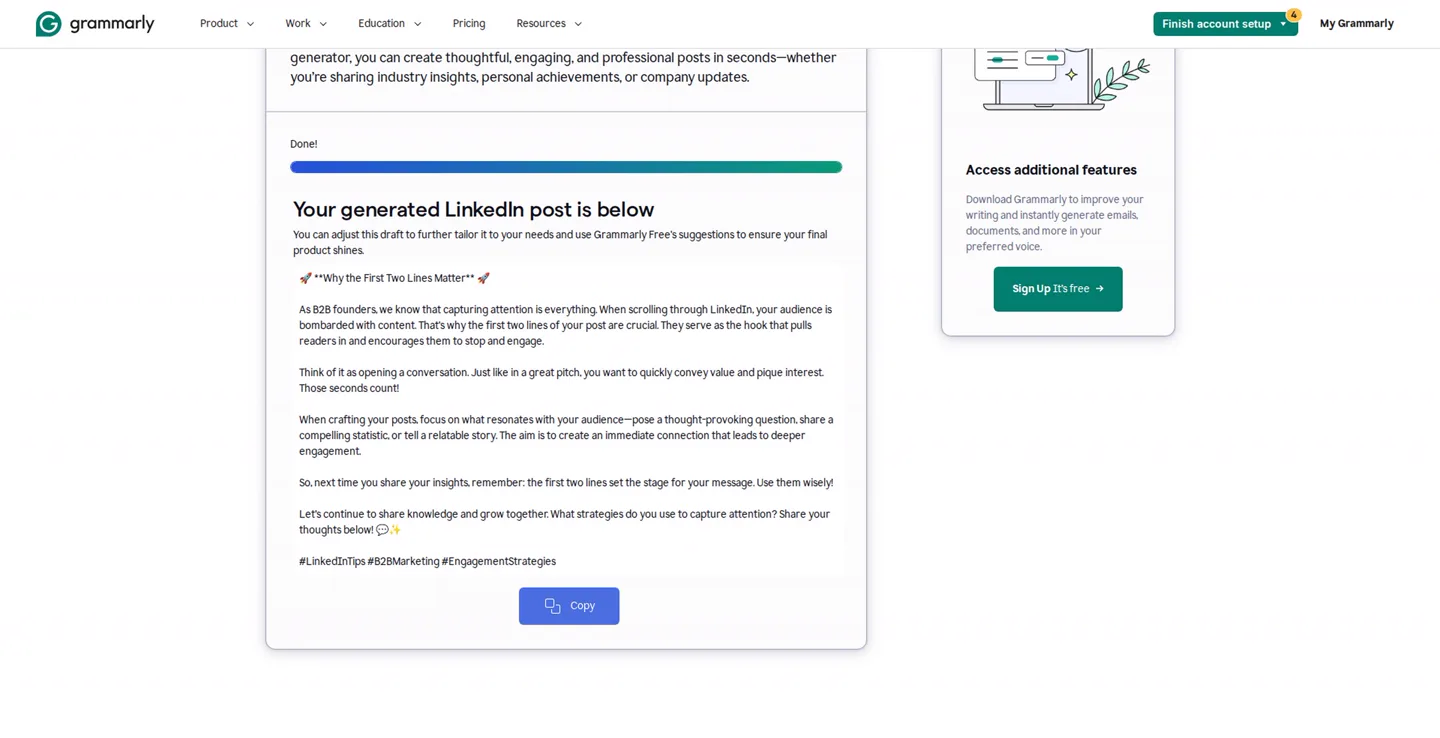
Grammarly's free LinkedIn post generator takes two steps: describe the topic, pick a tone. It's free, it invented nothing, and if you already use Grammarly it's right there.
But it wrote the most generic post of the six and wrapped its title in asterisks, which LinkedIn shows as asterisks, not bold. Add rocket emojis, "Share your thoughts below!" and three generic hashtags, and all you can do with it is copy it.
🚀 **Why the First Two Lines Matter** 🚀
As B2B founders, we know that capturing attention is everything. When scrolling through LinkedIn, your audience is bombarded with content. That's why the first two lines of your post are crucial. [...]
Let's continue to share knowledge and grow together. What strategies do you use to capture attention? Share your thoughts below! 💬✨
#LinkedInTips #B2BMarketing #EngagementStrategies
| At a glance | |
|---|---|
| What's free | Free generator page; a free account gets 100 AI prompts a month |
| Price | Generator free; Grammarly Pro $12/mo |
| Posts to LinkedIn via | Doesn't post; copy and paste |
| Our test draft | About 170 words, generic, broken formatting |
| Best for | A quick first draft if you already use Grammarly |
Pros
- Free and simple
- Didn't invent anything
- A name you already know
Cons
- Formatting LinkedIn doesn't support
- The most generic draft in our test
- Copy only: no editing or scheduling
What did we learn from testing them?
The drafts that sounded most experienced made the experience up. MagicPost invented a client and her numbers. ContentIn wrote results in the first person. A generator can't know what you've done, so when it sounds personal, check whether it's yours.
The generic drafts had the opposite problem: nothing false, nothing specific either. The fix for both is the same. Give the tool something real to work from, whether that's your past posts, your profile or your own material, and read every number and every "I did this" line before you post. If you'd rather tidy a draft by hand, our free LinkedIn post formatter fixes bold and italics properly.
How much do these generators really cost?
| Tool | Free | The price you see first | What you'll pay for the AI writer |
|---|---|---|---|
| Flypost | 7-day trial | $39/mo (yearly) | $49/mo, or $39 yearly |
| ContentIn | Generator free forever | $31/mo (yearly) | $39/mo for the app, or $31 yearly |
| Typegrow | Free plan | $20/mo per seat (yearly) | $29/mo per seat, or $20 yearly |
| Buffer | Free plan | $5/mo per channel | Free (the AI Assistant is on the free plan) |
| MagicPost | 7-day trial | $29/mo (yearly Growth) | $69/mo Creator, or $39 yearly |
| Grammarly | Generator free | Free | Free for 100 prompts a month, Pro $12/mo |
Prices checked on each tool's own pricing page on 12 November 2026.
How do you choose a free LinkedIn post generator?
- Just want a draft right now? ContentIn's website generator, no account needed.
- Want to schedule for free too? Buffer (several networks) or Typegrow (LinkedIn only).
- Already pay for or use Grammarly? Its generator is fine for a first pass. Fix the formatting.
- Want it to sound like you? Pick a tool that learns from your own material, and test it on a topic you know well.
- Whatever you pick, check every statistic and every first-person claim before you post.
Are free post generators safe for your LinkedIn account?
Writing a draft can't get your account in trouble: you copy it or schedule it yourself. LinkedIn's rules are about automation. Its help page on prohibited software and extensions says members who use tools that "scrape, modify the appearance of, or automate activity" on the site "risk having their accounts restricted or shut down".
| Tool | How it posts |
|---|---|
| Flypost | LinkedIn's official sign-in, through an approved partner |
| ContentIn | LinkedIn's official API (paid app) |
| Typegrow | LinkedIn's official API |
| Buffer | LinkedIn's official API |
| MagicPost | LinkedIn's official API |
| Grammarly | Doesn't post; you copy and paste |
None of the six needs your session cookie or runs inside your LinkedIn session.
How did we compare these generators?
We ran every tool ourselves on 12 November 2026, with the same brief, on its free plan, free trial or free page, and kept the first draft each one gave us without editing. Flypost drafted from material we'd added to its Brain, which any user can do; the others worked from the brief alone or, for MagicPost, the brief plus our LinkedIn profile. Prices come from each tool's own pricing page on the same day.
What we didn't do: run each tool many times, test paid plans, or measure how the posts performed on LinkedIn. AI drafts vary from run to run, so your first draft won't match ours. Flypost is our product.
Frequently asked questions
- What is the best free LinkedIn post generator?
- In our test, ContentIn's free generator wrote the strongest draft with no sign-up at all. Buffer and Typegrow are the best free options if you also want to schedule posts. Just check every draft before you post it: the most convincing ones wrote experience you never had.
- Is there a completely free AI LinkedIn post generator?
- Yes. Grammarly's LinkedIn post generator page and ContentIn's website generator are free to use, and Typegrow and Buffer have free plans. A free Grammarly account gives you 100 AI prompts a month. MagicPost and Flypost offer free trials rather than free plans. Checked on 12 November 2026.
- Can AI write LinkedIn posts that sound like you?
- Only if it has something of yours to work from. A generator that knows nothing about you either writes generic advice or makes up a story to sound personal. Tools that learn from your past posts, your profile or your own material, like Flypost's Brain, get much closer.
- Do free LinkedIn post generators make things up?
- Some do. In our test, MagicPost invented a client whose impressions jumped from 1,900 to 7,400, and ContentIn wrote first-person claims about results the author never mentioned. Read every number and every 'I did this' line before you post.
- Is it safe to use an AI post generator with LinkedIn?
- Writing a draft is safe whatever tool you use, because you post it yourself. For scheduling, pick a tool that posts through LinkedIn's official connection, as every tool here that schedules does. Avoid tools that run inside your LinkedIn session or ask for your session cookie.
Written by
Sam Cassman
Founder, Flypost · Chiang Mai, Thailand
I'm Sam. I built Flypost after watching too many good businesses sit on years of material (blog posts, call transcripts, case studies, half-finished decks) and post almost none of it.
I write everything here myself. When I claim something works on LinkedIn, it's because I tested it first-hand or ran the numbers across our own data. Where I'm working from a small sample, I'll say so. I'd rather be useful than certain.