

The 6 Best AI LinkedIn Carousel Generators in 2026 (We Tested Them)

By Sam Cassman · Last verified
Are you looking for the best AI LinkedIn carousel generator? Most of them can turn a title into slides in a few minutes. The hard part is getting slides that look like your brand and post properly to LinkedIn. So we set up our own brand in six tools, gave them the exact same brief and kept every slide they made. In this article you'll see each tool's actual carousel, where it went off brand, and what it really costs to post one. By the end, you'll know which one to use.
AI carousel generators all make the same promise: type a title, get a designed carousel in minutes. We wanted to see what that looks like for a real brand, so we set ours up in six tools, gave them the same brief, word for word, and kept the slides.
Every tool made something. Only a couple made something we'd post without fixing first. Flypost is ours, so it's first on the list, but every tool gets the same treatment.
What is the best AI LinkedIn carousel generator?
For a carousel that comes out in your brand and posts straight to LinkedIn, use Flypost. For the closest rival on brand, with scheduling, Contentdrips. For full design control and the biggest template library, Canva. And for a free first draft you'll restyle yourself, Claude.
Here's the quick version:
| Tool | Best for | What's free | Paid from |
|---|---|---|---|
| 1. Flypost | On-brand carousels, posted to LinkedIn as a PDF | 7-day trial, free carousel generator on flypost.io | $49/mo |
| 2. Claude | A quick free draft you'll restyle | Free plan | $20/mo (Pro) |
| 3. Canva | Design control and 1,271+ templates | Free plan | $18/mo (Pro) |
| 4. Gamma | A good-looking draft if you already use Gamma | 400 one-off credits, with Gamma branding | $12/mo (Plus) |
| 5. Contentdrips | Close to on brand, with LinkedIn scheduling | 7-day trial | $19/mo (Starter) |
| 6. PostNitro | A free plan for short carousels | Free plan: 5 slides, watermarked | $15/mo, $30/mo to schedule |
How we tested them
Before the test, we set up our own brand in every tool that has a brand kit or theme: our logo, black, cream and yellow, and our two fonts, Neuton and Plus Jakarta Sans. Then every tool got exactly this brief, on 16 November 2026:
Create a LinkedIn carousel called "5 signs your LinkedIn post is obviously AI slop". Make it 8 slides.
We kept the first carousel each tool gave us and didn't edit the slides. Claude's run comes from our earlier Claude carousel test on 10 November, with almost the same brief (it also asked for LinkedIn sizing and a PDF). The screenshots below are each tool's real output.
Which AI carousel generators are worth trying?
1. Flypost
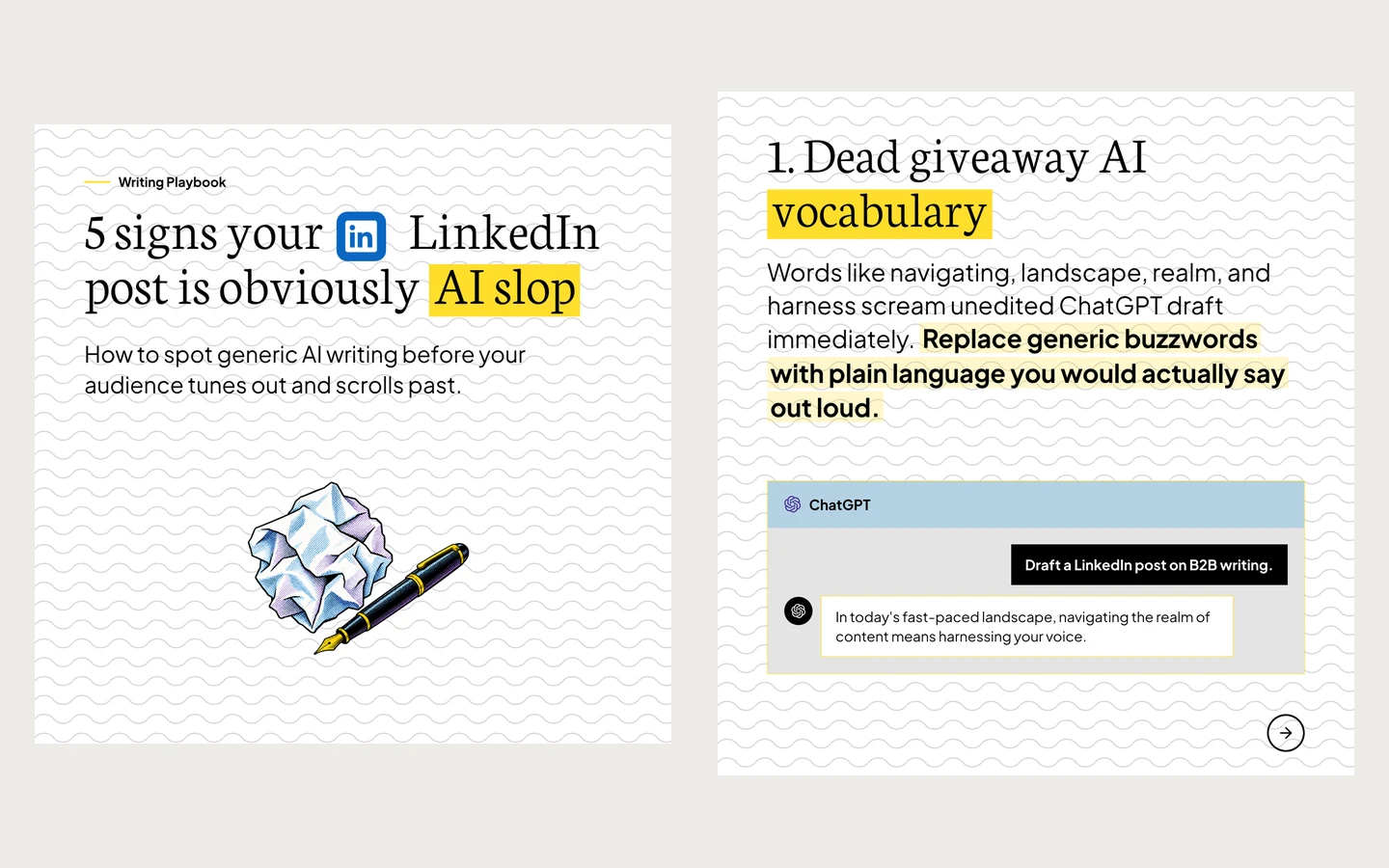
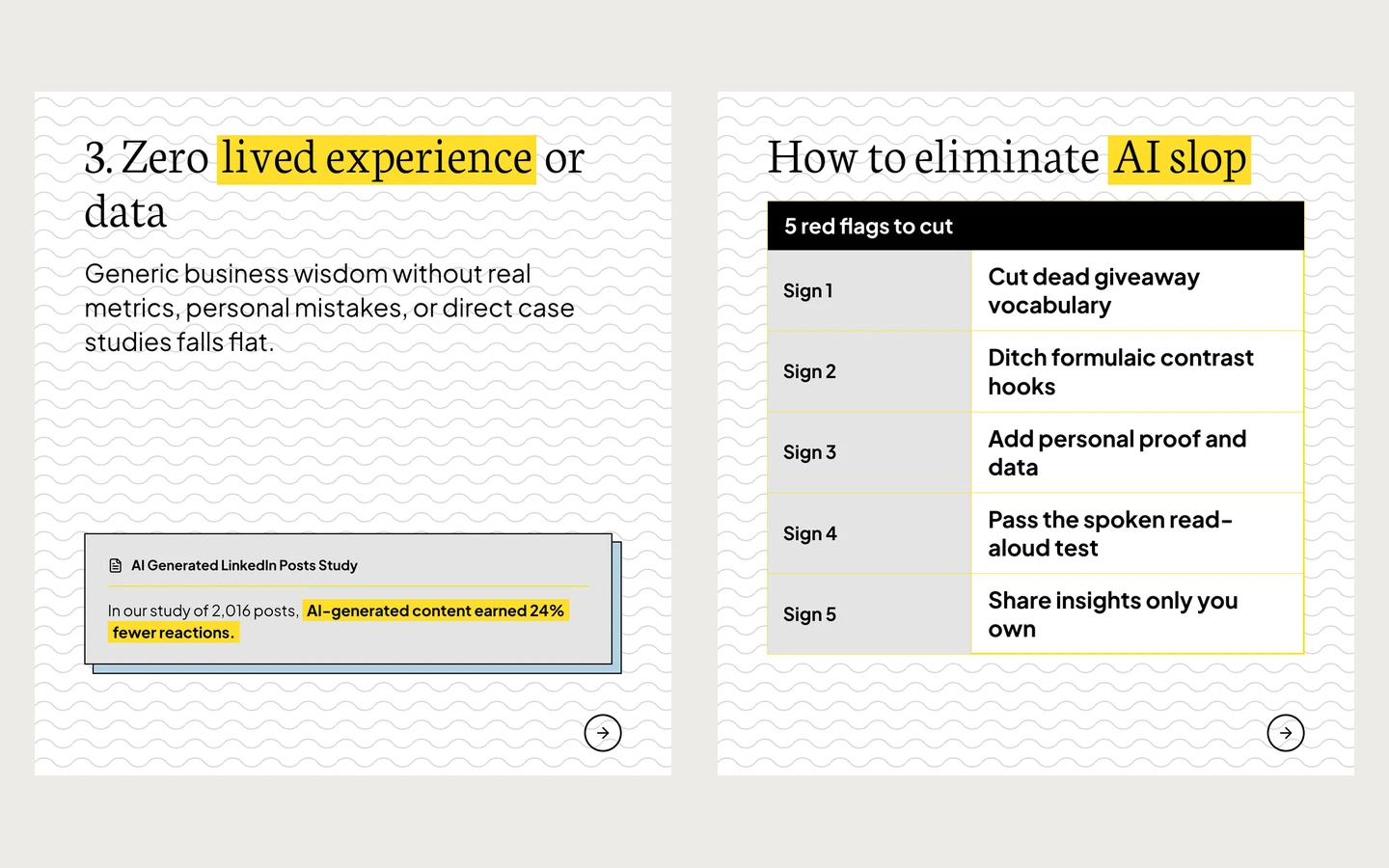
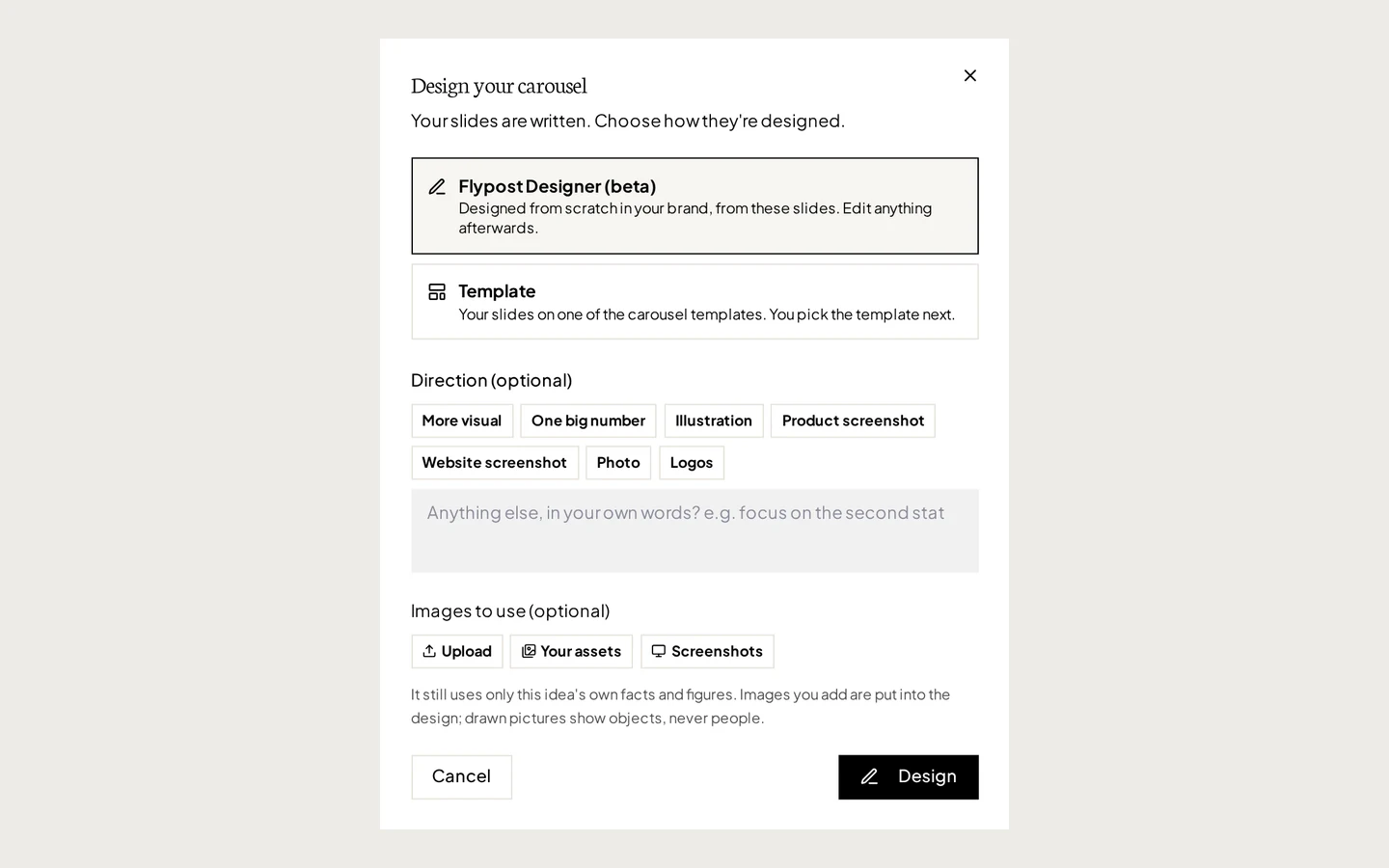
Flypost is a LinkedIn content studio, so the carousel isn't a design file you finish somewhere else. You set your brand once, your logo, colours and fonts, and every carousel comes out in it. It writes the slides and the post that goes with them, and it can draft from your own material in its Brain, your blog, YouTube channel and documents.
For our test we typed the brief, picked a listicle carousel and told it to keep our title as written. It came back with our title on the cover, an intro slide, the five signs, a summary table and, at the end, a follow slide with the author's name and photo. That's nine slides where we asked for eight, but every one was in our fonts and colours, and nothing needed fixing by hand.
The finished carousel is a sharp vector PDF with the fonts and logo built in, and Flypost posts it to LinkedIn as a real swipeable document post, to your profile or a company page. Flypost Designer lets you edit any slide, or ask the AI to revise it. The catch is choice: there are three carousel templates plus Designer, against Canva's library of more than a thousand.
| At a glance | |
|---|---|
| What's free | 7-day trial; a free carousel generator on flypost.io with no account |
| Price | $49/mo Creator, $79/mo Pro, $149/mo Agency (20% off yearly) |
| Posts to LinkedIn via | LinkedIn's official sign-in, through an approved partner, as a PDF document post |
| Our test carousel | 9 slides (8 plus a follow slide), our title, our brand |
| Reviews | No independent reviews yet |
| Best for | Founders and teams who post carousels every week and want them on brand |
Pros
- Came out in our brand, with our title, first time
- Writes the slides and the post, from your own material if you want
- Posts the PDF to LinkedIn as a swipeable carousel, profiles and company pages
- Every slide editable, by hand or with AI
Cons
- No free plan for the app, just the 7-day trial
- Three carousel templates plus Designer, far fewer than Canva
- Added a ninth slide we didn't ask for
2. Claude
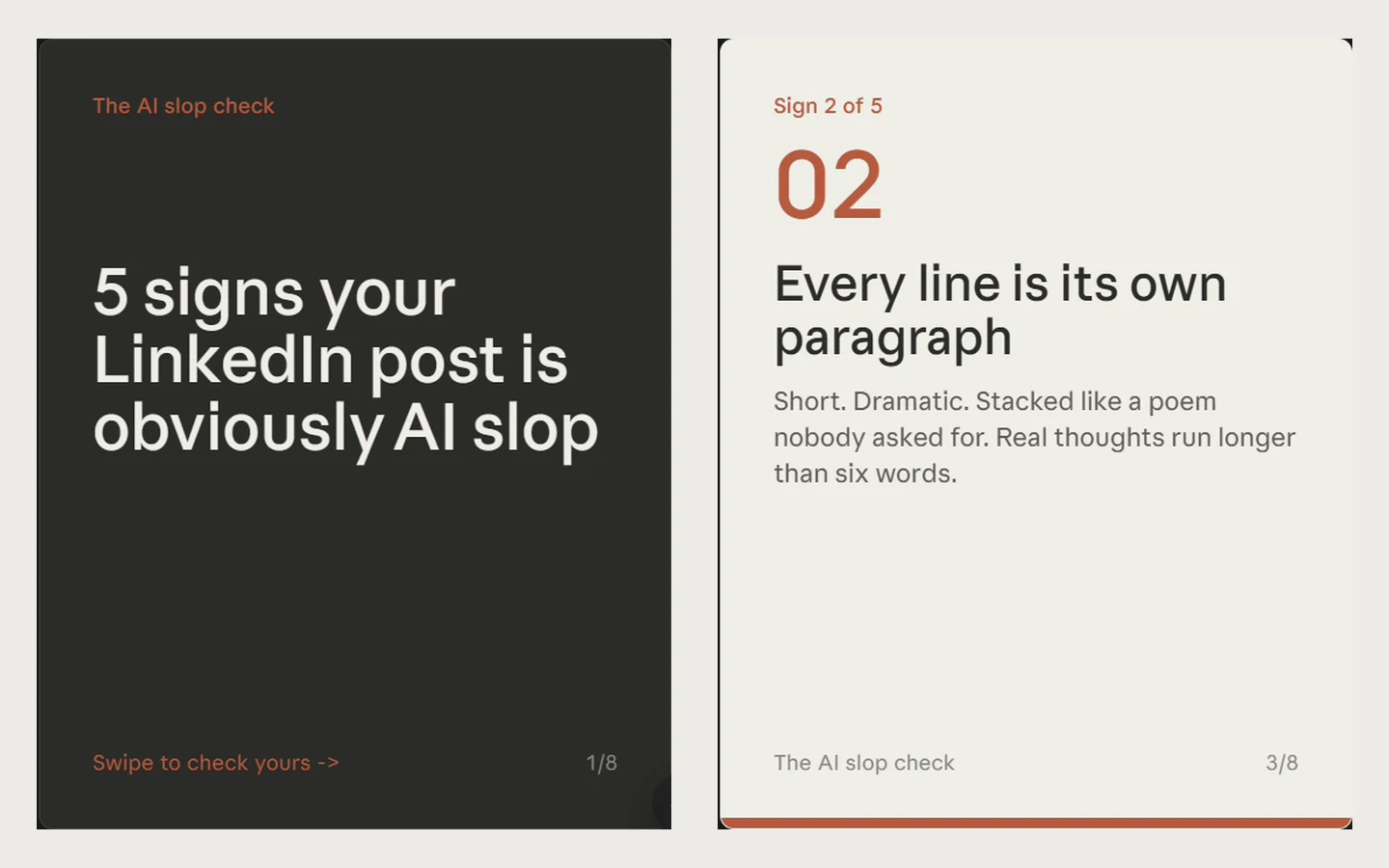
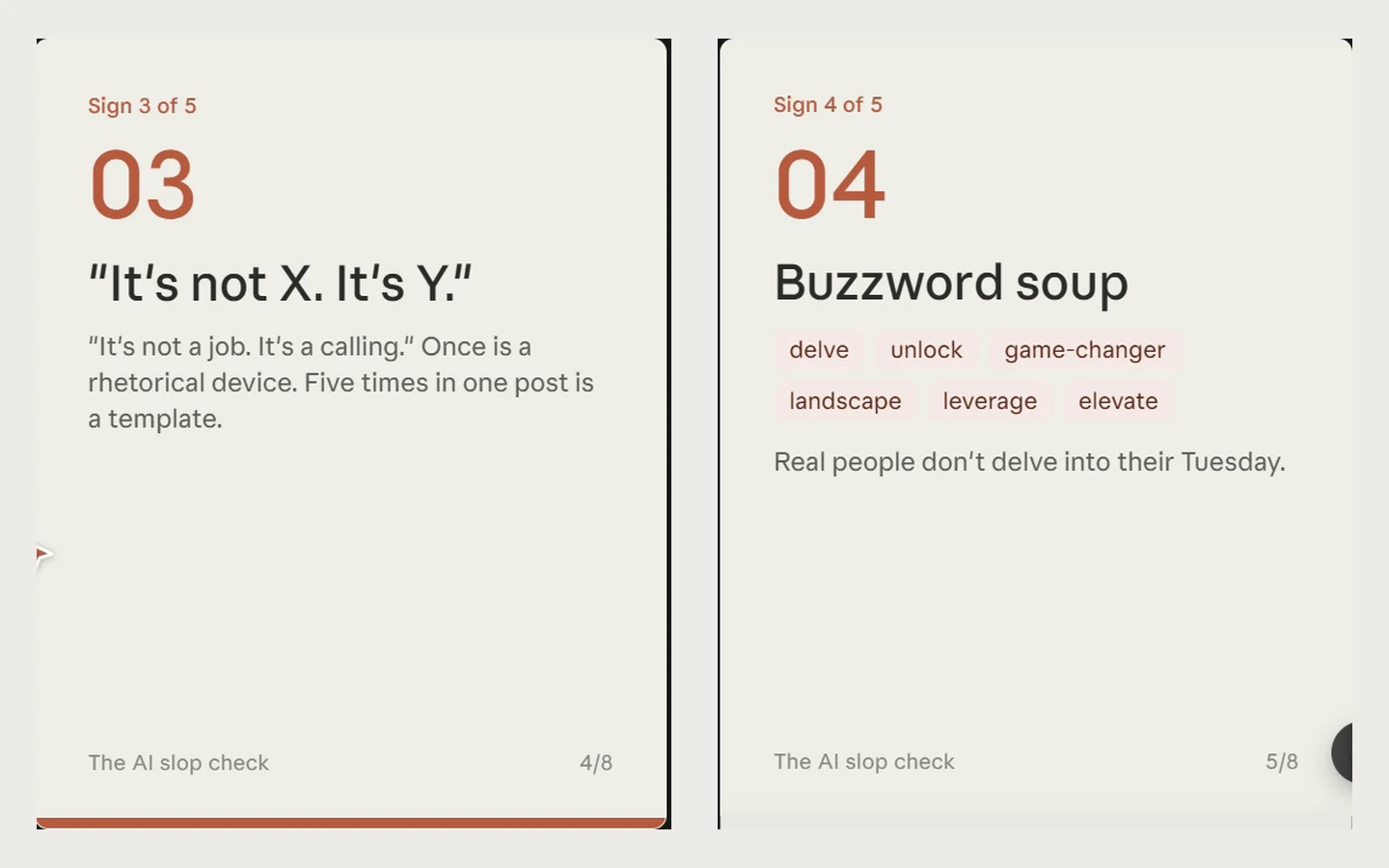
Claude isn't a carousel tool, but plenty of people ask it for one, so we did too. On the free plan it thought for 53 seconds and built eight slides right in the chat, with a Download PDF button underneath.
The slides were tidy and the points were sensible, but the look was generic: Claude doesn't know your brand unless you describe it. In the chat, the headings on five of the slides were almost invisible; in the PDF they showed, in a fallback serif. In another run, the first Download PDF did nothing until Claude rebuilt it. And it can't post: you upload the PDF to LinkedIn yourself.
| At a glance | |
|---|---|
| What's free | Free plan, with usage limits |
| Price | Pro $20/mo, or $17/mo yearly |
| Posts to LinkedIn via | Doesn't post; you upload the PDF yourself |
| Our test carousel | 8 plain slides in its own style, as a PDF |
| Reviews | Not rated here: a general AI assistant |
| Best for | A free first draft you'll restyle or rebuild |
Pros
- Free, and quick
- Sensible structure and readable slides
- Downloads as a PDF
Cons
- Generic look, no brand kit
- Headings nearly vanished in the chat preview
- A PDF download failed once
- No posting or scheduling
3. Canva
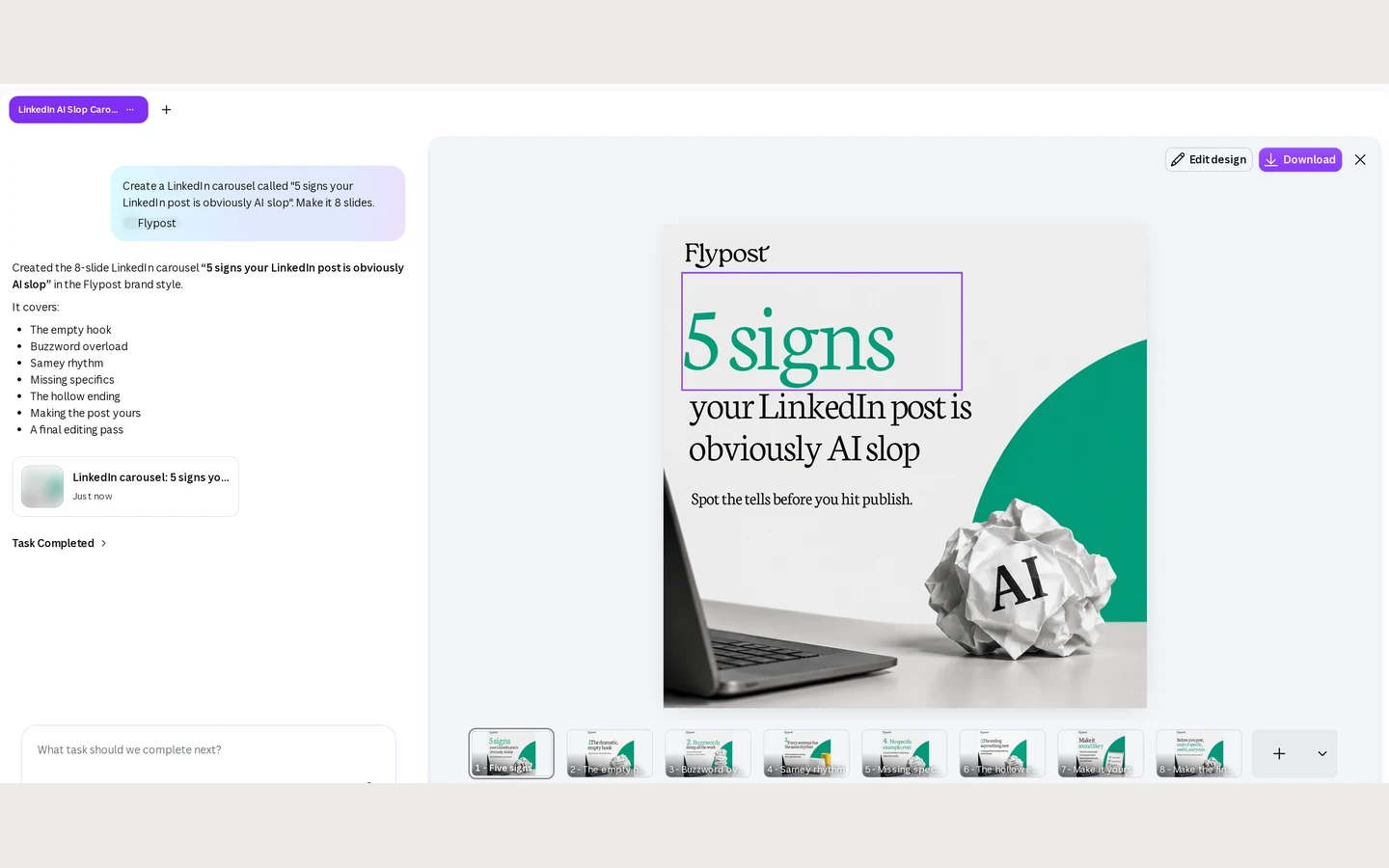
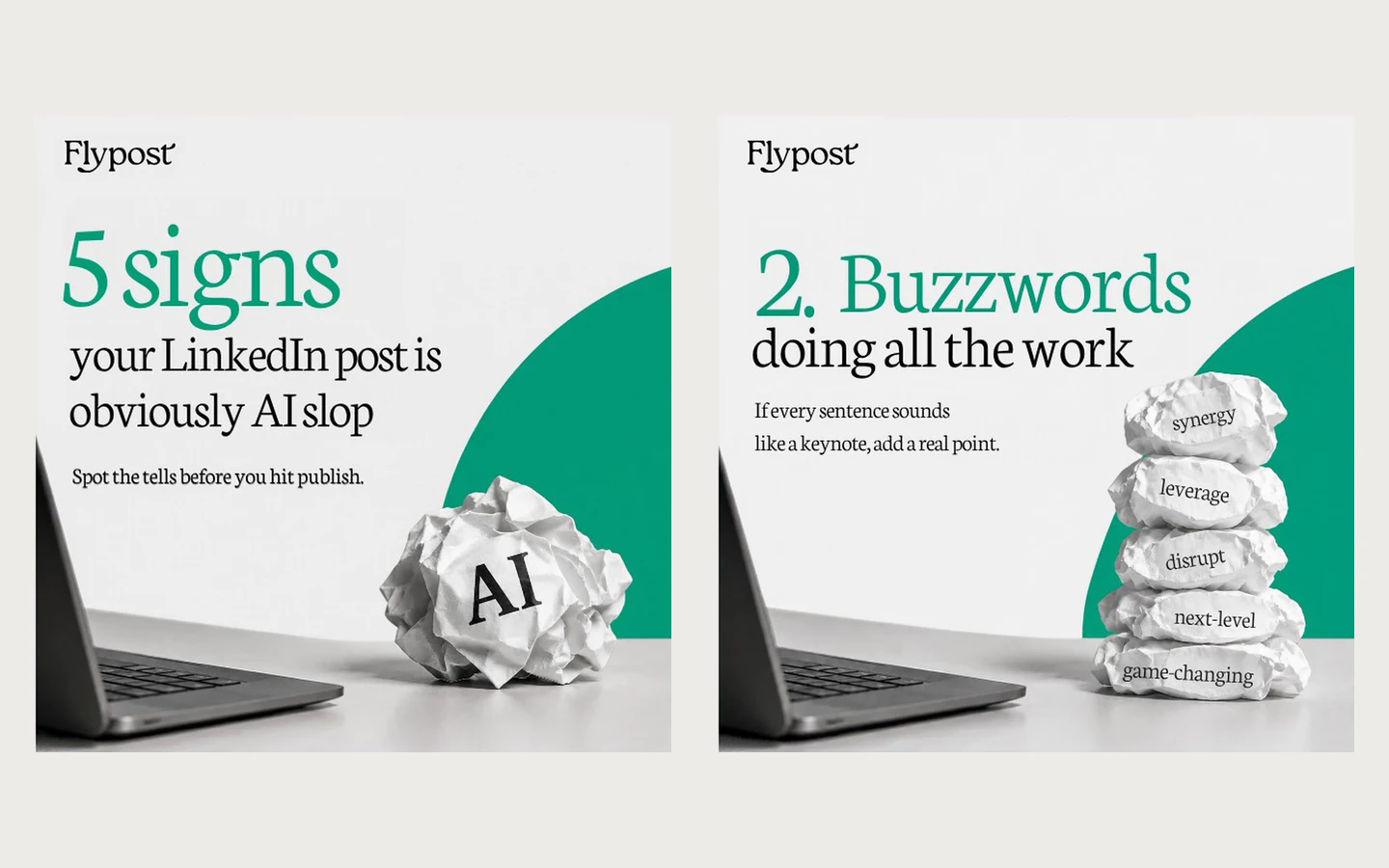
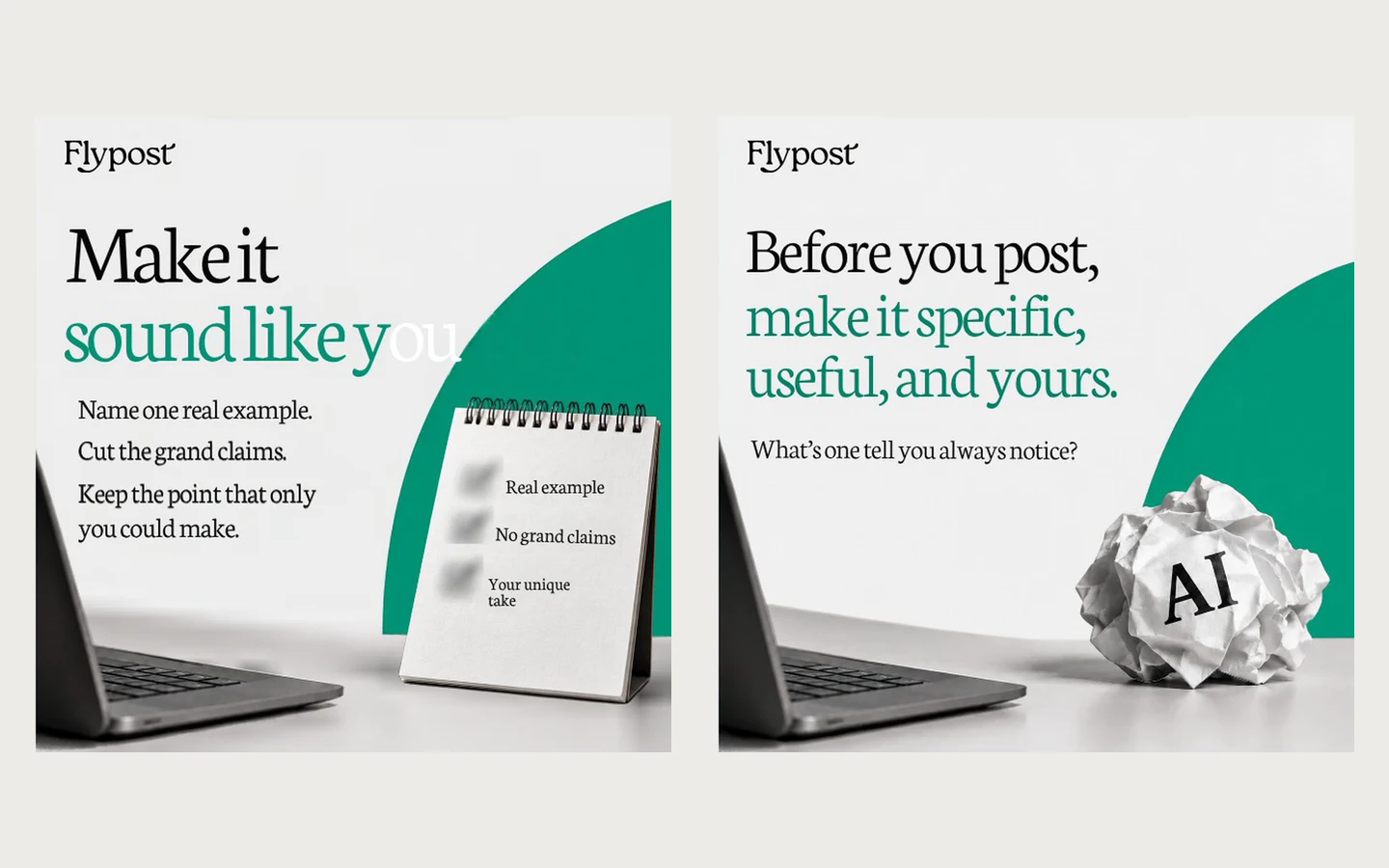
Canva is the design tool most people already have, and for carousels its strength is choice: more than 1,271 LinkedIn carousel templates and an editor that lets you change anything. It also imported our brand well. Pointed at flypost.io, it filled the Brand Kit with our logos, colours and both fonts, though it warned our brand font wasn't in its library and brought in a stray green palette.
That green came back to bite. With the Flypost brand selected, Canva AI made eight slides with our logo and a serif heading, but used green where our yellow should be. And slide 7's text ran off the edge, ending at "Make it sound like y". Easy to fix in the editor, but you have to catch it.
Posting is the other gap. Canva's own help pages say its LinkedIn publishing takes JPG images only, so a swipeable PDF carousel has to be downloaded and uploaded to LinkedIn by hand. AI designs use Canva's metered AI allowance.
| At a glance | |
|---|---|
| What's free | Free plan: templates, editor, PDF export, 1 brand kit, limited AI |
| Price | Pro $18/mo, or $144/yr ($12/mo); Business $25/mo per person |
| Posts to LinkedIn via | Canva's LinkedIn integration, images only; PDF carousels uploaded by hand |
| Our test carousel | 8 slides, our logo, wrong accent colour, one slide's text cut off |
| Reviews | G2 4.7 (7,857 reviews), Trustpilot 4.0 (8,467 reviews) |
| Best for | Designers, and anyone who wants full control of every slide |
Pros
- 1,271+ LinkedIn carousel templates and full design freedom
- Imported our brand from our website
- A real free plan, and it does every other design job too
Cons
- Swapped our yellow accent for green
- Cut off one slide's text
- Can't post a PDF carousel to LinkedIn for you
- AI designs come out of a metered allowance
4. Gamma
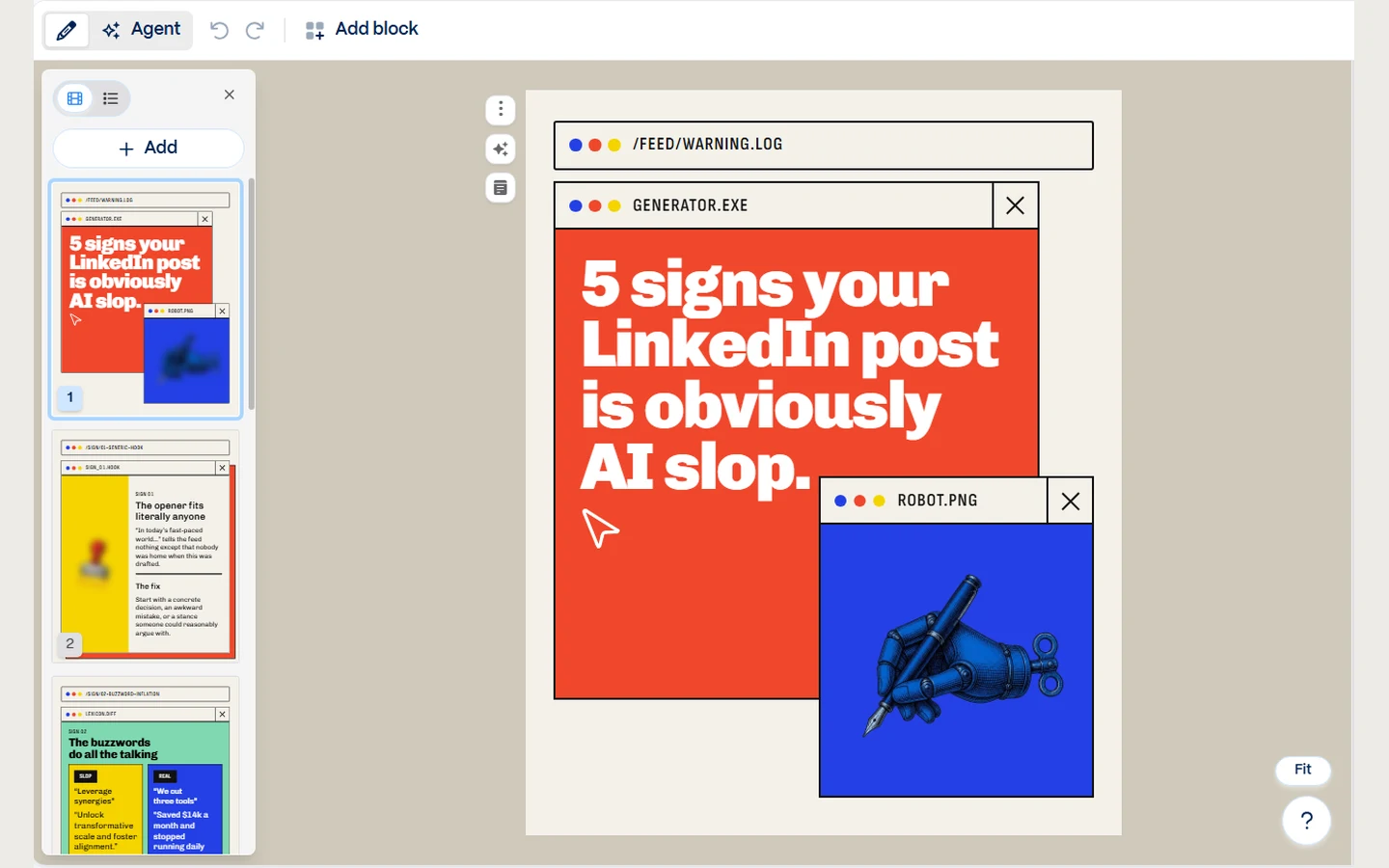
Gamma is a presentation maker that also does social carousels, and it's good at a striking first draft. We built a Flypost theme in it, with our fonts and colours (both fonts are in its list, and custom themes work on the free plan), and set it as the default.
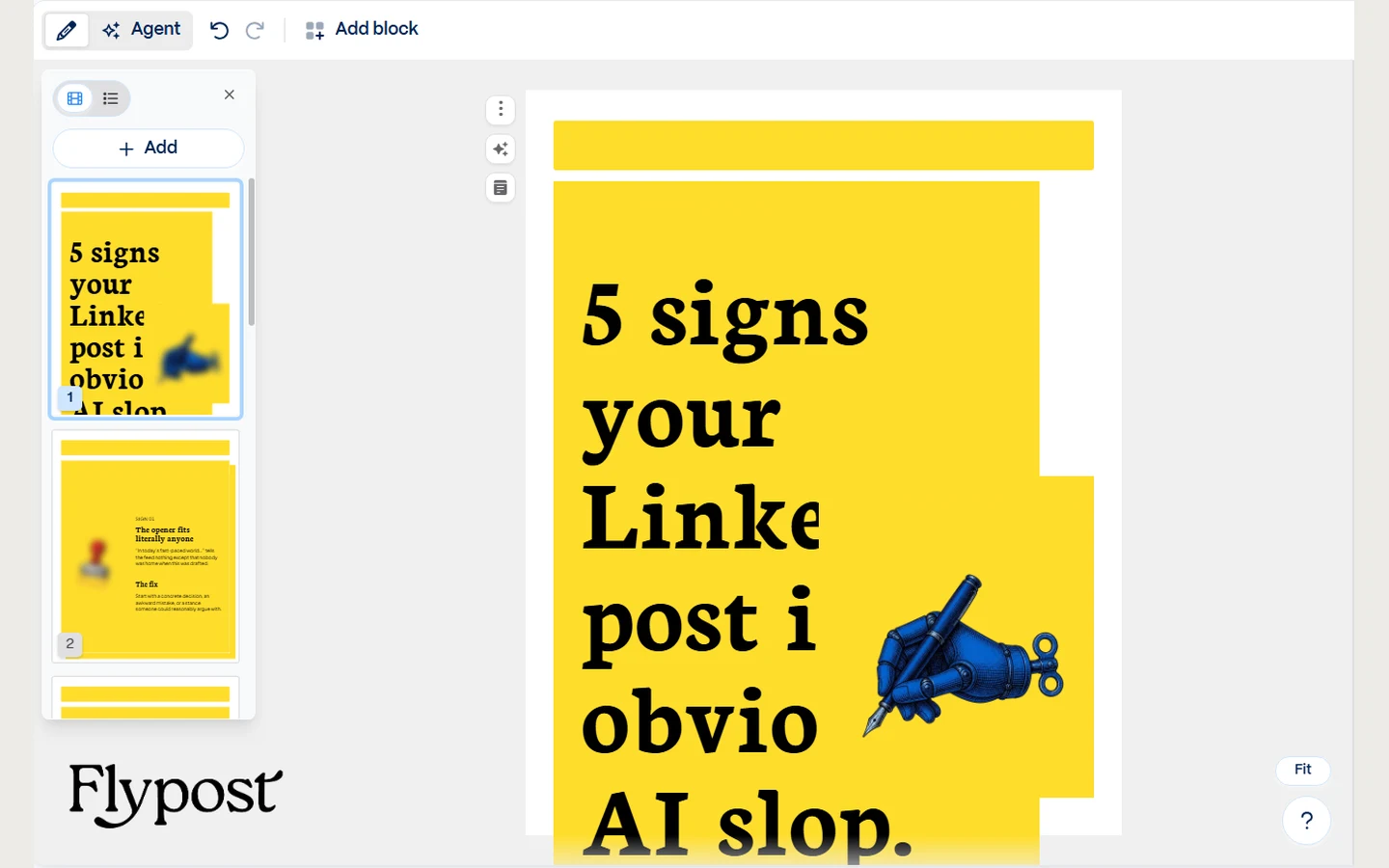
Its carousel agent took the brief and built eight slides with our title. But it ignored our default theme and designed its own look: orange, blue and yellow "terminal window" frames with an illustration. Applying our theme by hand restyled every slide in our fonts and yellow, and then the big title overflowed the slide and was cut off.
On the free plan, three runs of the brief used about 160 of the 400 sign-up credits, roughly 50 a carousel, and those credits don't refill. Free carousels carry Gamma branding. It can share to a personal LinkedIn profile, but it doesn't schedule or post to company pages.
| At a glance | |
|---|---|
| What's free | 400 one-off credits (about 8 carousels in our test), with Gamma branding |
| Price | Plus $12/mo ($9/mo yearly) removes the branding; Pro $25/mo ($18 yearly) |
| Posts to LinkedIn via | Share to a personal profile; no scheduling, no company pages |
| Our test carousel | 8 slides in its own style; our theme broke the title |
| Reviews | G2 3.9 (39 reviews), Trustpilot 1.6 (130 reviews, an unclaimed profile) |
| Best for | People who already make decks in Gamma |
Pros
- Striking designs, fast
- Custom themes and fonts on the free plan
- Exports to PDF, PowerPoint and images
Cons
- Ignored our default theme
- Our theme overflowed the title once applied
- Free credits run out after a handful of carousels
- No scheduling or post writing
5. Contentdrips
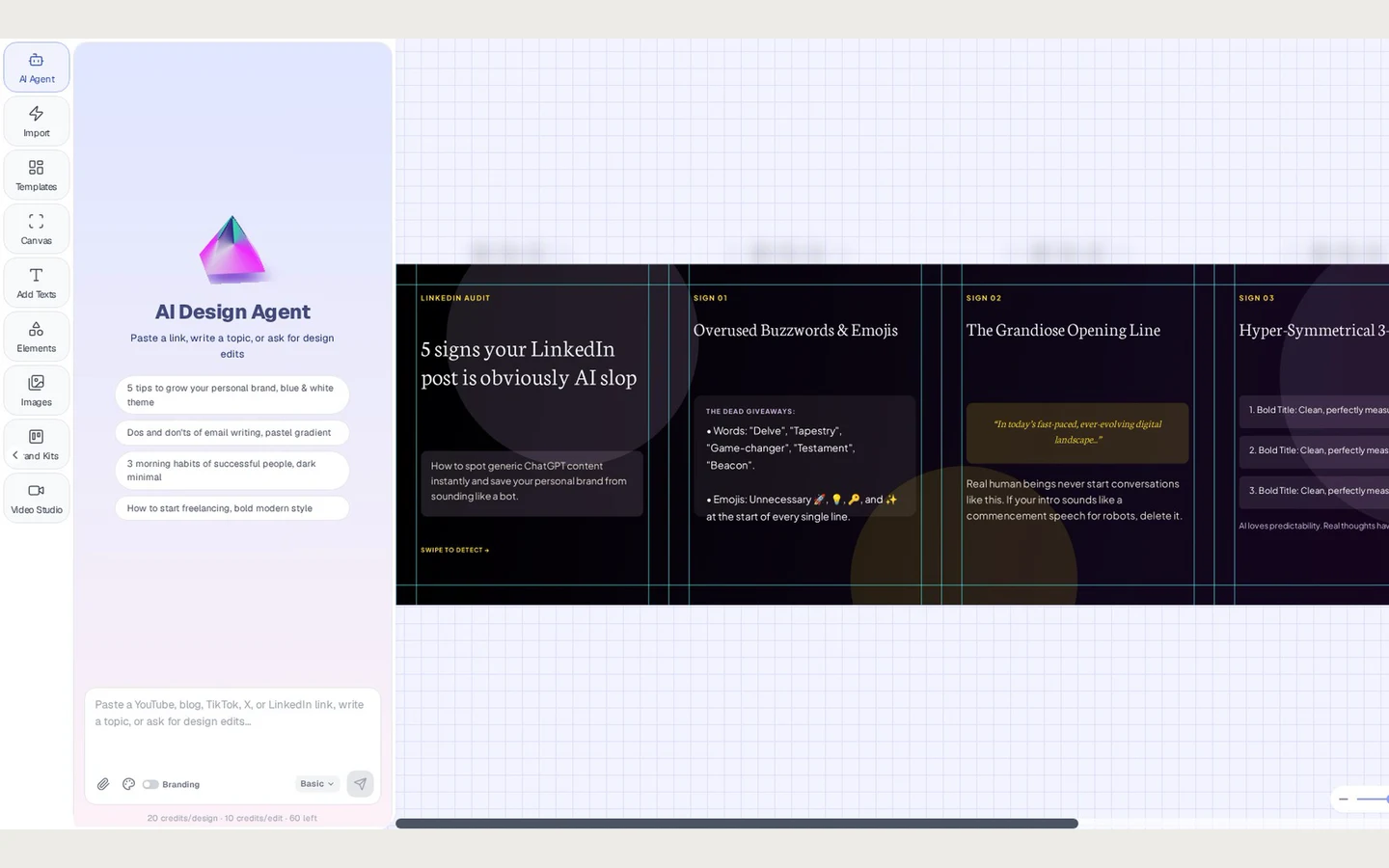
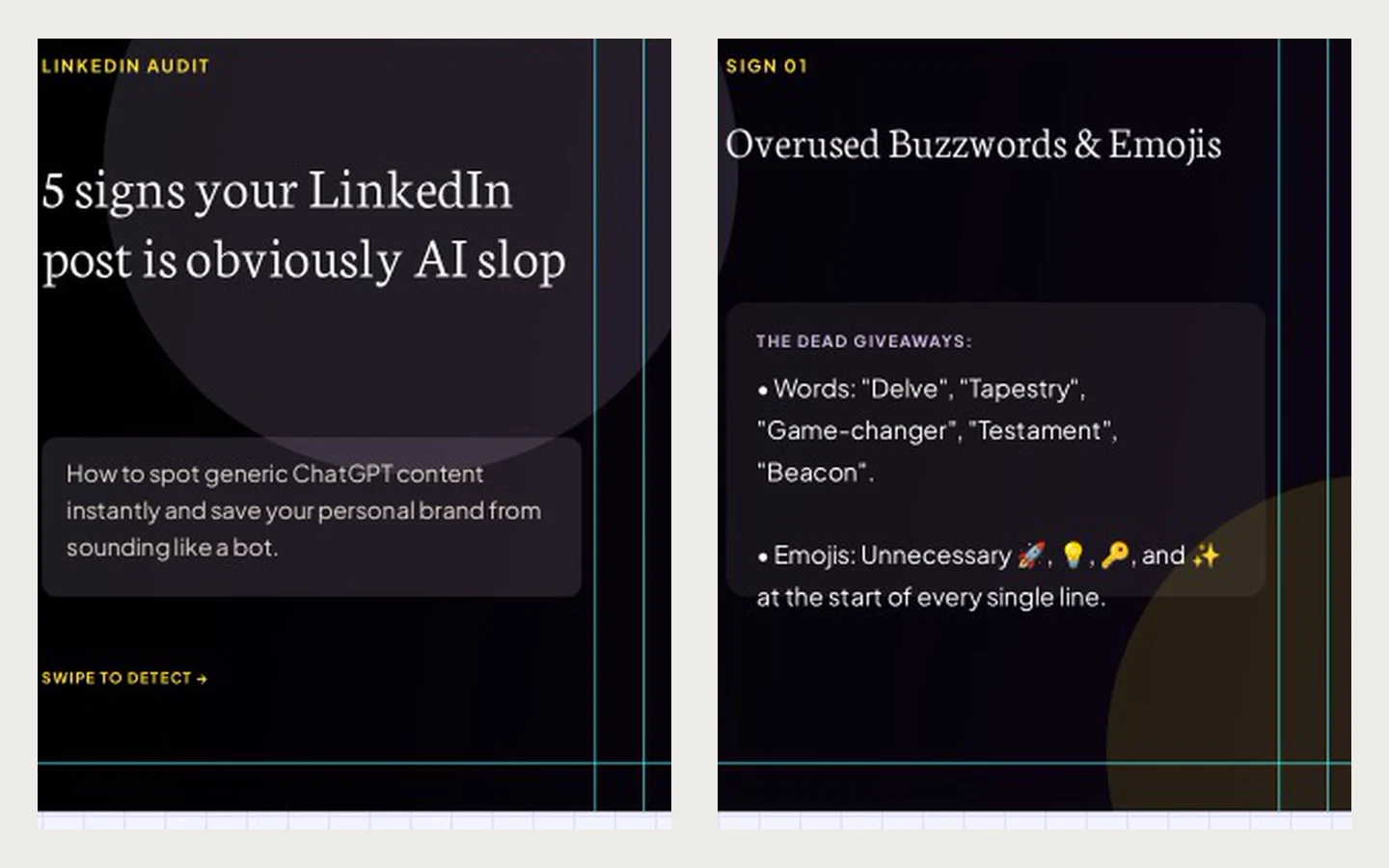
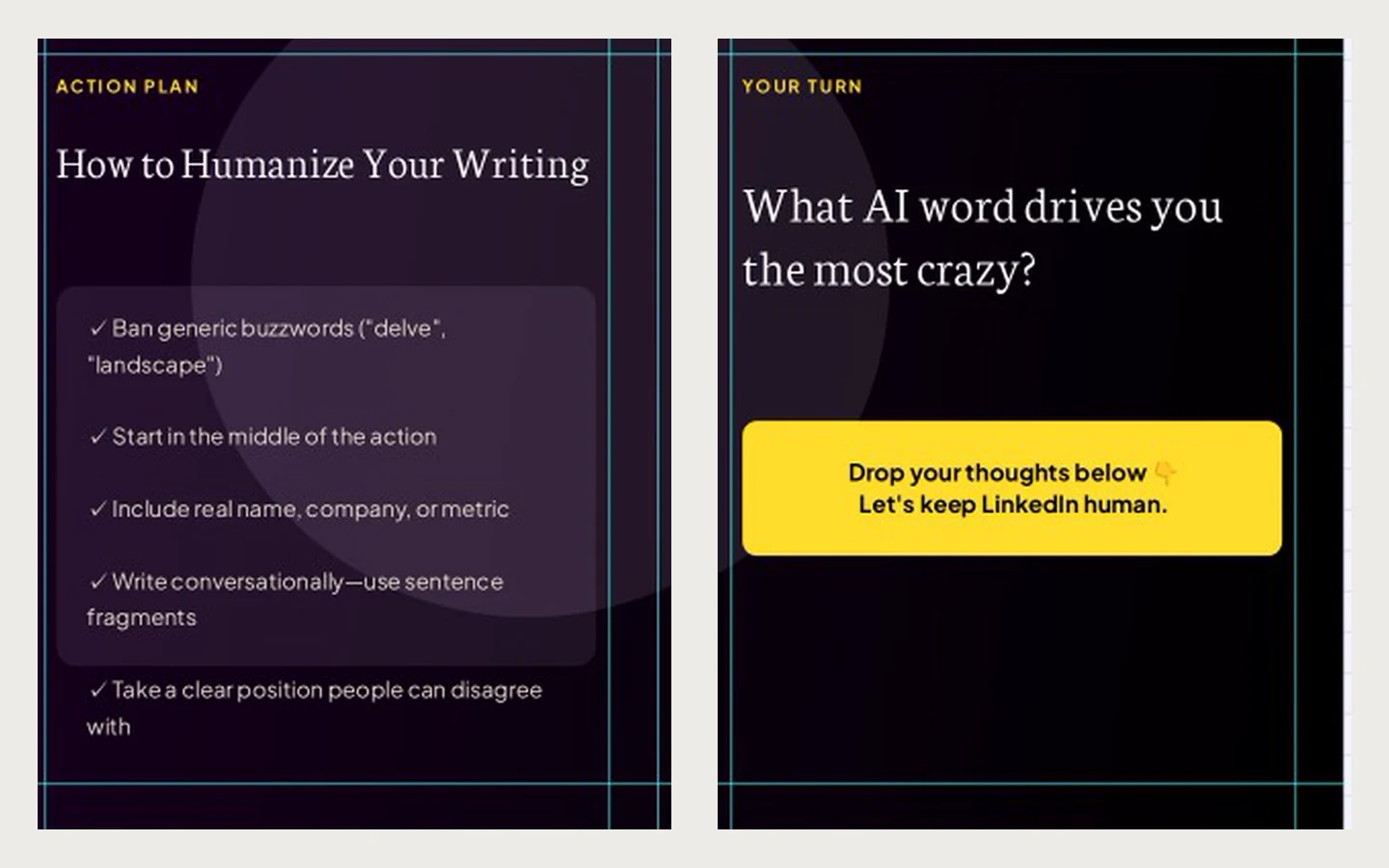
Contentdrips came closest to our brand of all the other tools. Its eight slides used our fonts and our yellow accent, on a dark purple background rather than our cream, and finished on a question slide to draw comments. It's an editable design canvas with AI on top, so you can change anything afterwards.
Everything AI runs on credits. In our trial the editor charged 20 credits a design and 10 an edit, double the 10 credits its pricing page lists for an AI carousel, so the meter goes down faster than the page suggests. It schedules to LinkedIn through the official API, to profiles and company pages, but has no analytics.
Its pricing page opens on the yearly prices, so the $15 you see first is Starter billed yearly; monthly it's $19. And there's almost no independent feedback: one review on G2 and no Trustpilot profile.
| At a glance | |
|---|---|
| What's free | 7-day trial with credits |
| Price | Starter $19/mo ($15 yearly), Pro $35/mo ($29 yearly), Ultimate $65/mo |
| Posts to LinkedIn via | LinkedIn's official API, profiles and company pages (2 channels on Starter) |
| Our test carousel | 8 slides, our fonts and accent, a purple background |
| Reviews | G2: 1 review (1 star); no Trustpilot profile |
| Best for | A cheap carousel tool with LinkedIn scheduling |
Pros
- Closest to our brand of the other tools
- Editable canvas with AI on top
- Schedules to LinkedIn profiles and company pages
- Cheaper than Flypost
Cons
- Credit-metered, and designs cost double what the pricing page lists
- Prices shown yearly by default
- No analytics
- Hardly any independent reviews
6. PostNitro
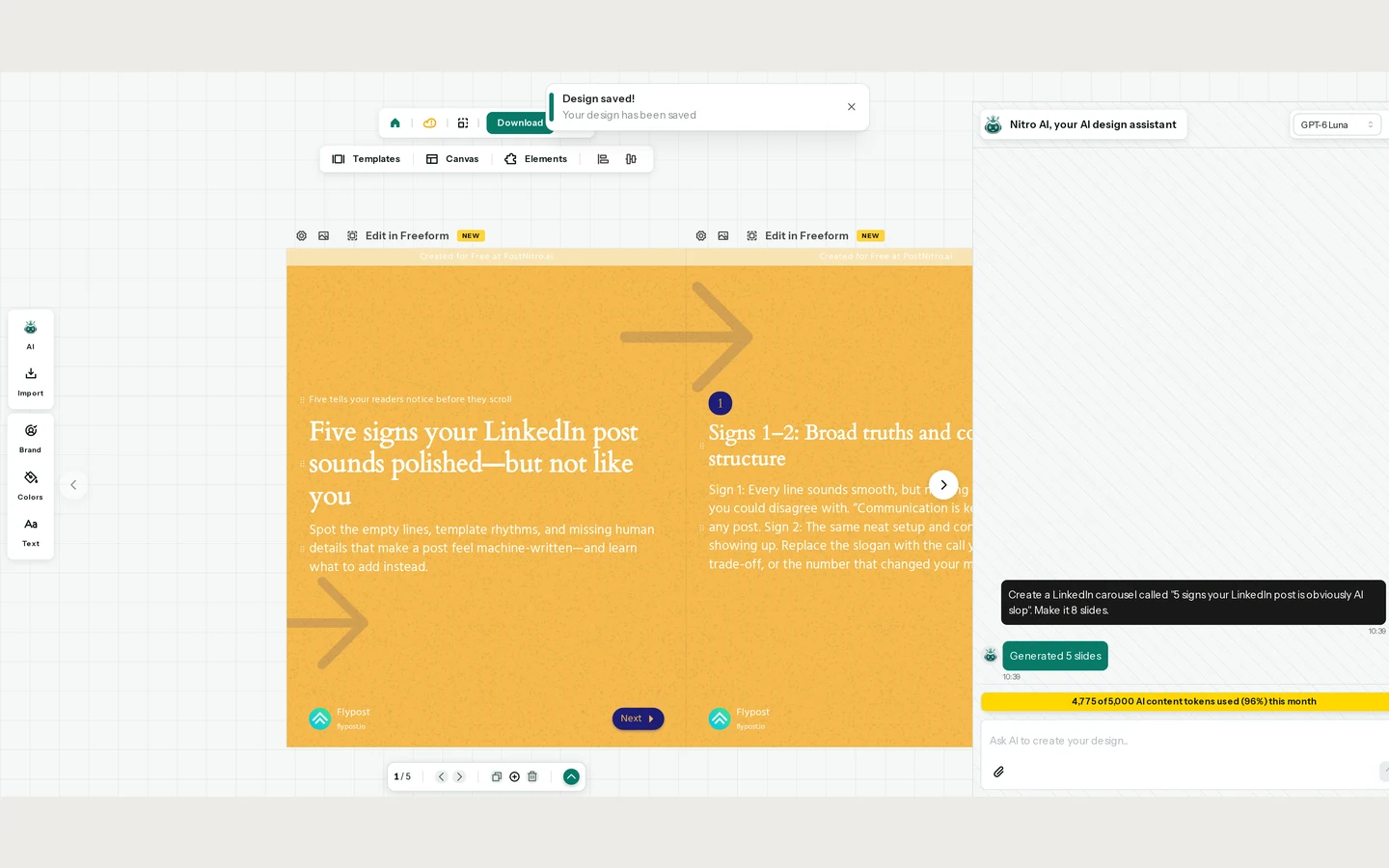
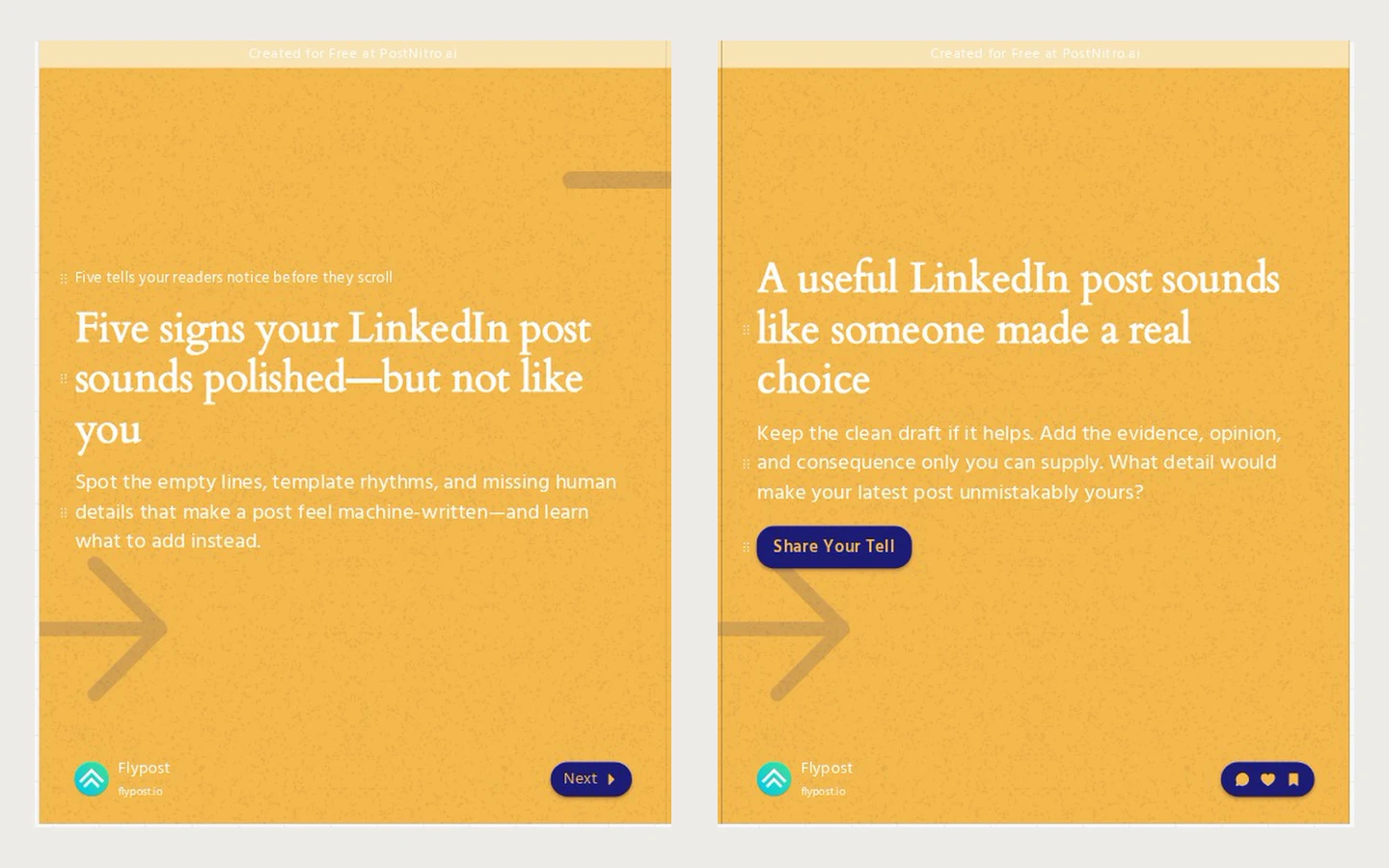
PostNitro has a real free plan, which is rare here. Its Nitro AI chat took the brief and had slides ready in about a minute. But the free plan caps AI carousels at five slides, so we got five, not eight, with "Created for Free at PostNitro.ai" on every one. It also rewrote our title, into a line about posts that sound polished but not like you.
The free plan used only our name and handle from the brand kit, and by the end of our test the chat showed 4,775 of the month's 5,000 AI content tokens used (96%). Starter, at $15 a month, removes the watermark and allows eight slides, but can't post. Scheduling to LinkedIn, through the official API to profiles and company pages, starts at Creator+, $30 a month.
| At a glance | |
|---|---|
| What's free | Free plan: 5-slide AI carousels, 5 downloads a month, watermarked; plus a 3-day trial of paid plans |
| Price | Starter $15/mo ($12.50 yearly), Creator+ $30/mo to schedule |
| Posts to LinkedIn via | LinkedIn's official API, on Creator+ and up |
| Our test carousel | 5 slides, retitled, watermarked |
| Reviews | Trustpilot 4.2 (7 reviews); no G2 listing |
| Best for | Trying an AI carousel tool without paying |
Pros
- A real free plan
- Fast, chat-style generation
- Schedules to LinkedIn profiles and company pages on Creator+
Cons
- Free plan: 5 slides and a watermark
- Changed our title
- Used most of a month's free allowance in one test
- Posting needs the $30 plan
What did we learn from testing them?
Every tool can make a carousel from a title. What separates them is everything after that. Setting up a brand kit isn't the same as getting your brand: Canva swapped our accent colour, Gamma ignored our theme, and PostNitro's free plan used only our name. Two tools changed what we asked for, PostNitro on title and slide count, Flypost by adding a follow slide.
So check three things before you choose: whether the slides come out in your brand without restyling, whether any text runs off a slide, and how the carousel gets to LinkedIn. A swipeable carousel on LinkedIn is a PDF document post, and only some of these tools can post one for you. If you want to try the format first, our free LinkedIn carousel generator makes one in your browser.
How much do these generators really cost?
| Tool | Free | The price you see first | What a clean carousel costs |
|---|---|---|---|
| Flypost | 7-day trial | $39/mo (yearly) | $49/mo, or $39 yearly, posting included |
| Claude | Free plan | Free | Free; you post it yourself |
| Canva | Free plan | Free | Free to design and export; Pro $18/mo for premium templates and more AI |
| Gamma | 400 one-off credits | $9/mo (yearly Plus) | $12/mo Plus to remove the branding, or $9 yearly |
| Contentdrips | 7-day trial | $15/mo (yearly, the default tab) | $19/mo Starter, or $15 yearly |
| PostNitro | Free plan | Free | $15/mo to remove the watermark, $30/mo to schedule |
Prices checked on each tool's own pricing page between 16 and 17 November 2026. PostNitro was running a Black Friday discount when we checked; these are its normal prices.
How do you choose an AI LinkedIn carousel generator?
- Post carousels every week and want them on brand? Flypost, which also writes the post and publishes the PDF.
- Want a cheaper tool that schedules to LinkedIn? Contentdrips. Watch the credits.
- Want full control of the design? Canva, then upload the PDF to LinkedIn yourself.
- Already make presentations in Gamma? Use it for the odd carousel, and check the title after applying your theme.
- Just want to try one free? Claude for an unbranded draft, or PostNitro for a five-slide carousel with a watermark.
Are AI carousel generators safe for your LinkedIn account?
Making a carousel can't get your account in trouble: it's a PDF until you post it. LinkedIn's rules are about automation. Its help page on prohibited software and extensions says members who use tools that "scrape, modify the appearance of, or automate activity" on the site "risk having their accounts restricted or shut down".
| Tool | How it posts |
|---|---|
| Flypost | LinkedIn's official sign-in, through an approved partner |
| Claude | Doesn't post; you upload the PDF yourself |
| Canva | Canva's LinkedIn integration (images only) |
| Gamma | Shares to a personal profile; no scheduling |
| Contentdrips | LinkedIn's official API |
| PostNitro | LinkedIn's official API (Creator+ and up) |
None of the six needs your session cookie or runs inside your LinkedIn session.
How did we compare these generators?
We ran Flypost, Canva, Gamma, Contentdrips and PostNitro ourselves on 16 November 2026, with the same brief, after setting up our brand in each one. We used Flypost's paid plan, Canva Pro, Gamma's free plan, Contentdrips' 7-day trial and PostNitro's free plan. Claude's carousel comes from a run on its free plan on 10 November, with a near-identical brief. We kept the first carousel each tool made and didn't edit it. Prices and review counts come from each tool's own pricing page and its G2 and Trustpilot pages on 16 and 17 November.
What we didn't do: run each tool many times, test every paid plan, check every exported PDF (we didn't capture Canva's), or post the carousels and measure how they performed on LinkedIn. AI output varies from run to run, so your carousel won't match ours. Flypost is our product.
Frequently asked questions
- What is the best AI LinkedIn carousel generator?
- In our test, Flypost made the carousel closest to our brand and posts it to LinkedIn as a real swipeable PDF post. Of the others, Contentdrips came closest on brand and schedules to LinkedIn, and Canva gives you the most design control and templates. Flypost is our product, so judge the slides for yourself on this page.
- Is there a free LinkedIn carousel generator?
- Yes. Claude's free plan made a plain eight-slide carousel you can download as a PDF, Canva's free plan covers templates and PDF export, and PostNitro has a free plan limited to five-slide, watermarked carousels. Gamma gives 400 one-off credits, about eight carousels in our test, with Gamma branding. Flypost has a free carousel generator on flypost.io as well as a 7-day trial of the app. Checked on 17 November 2026.
- Can Claude or ChatGPT make a LinkedIn carousel?
- Claude can. Asked for an eight-slide LinkedIn carousel, it built the slides in the chat with a Download PDF button. They were plain and generic, didn't use our brand, and one PDF download didn't work until Claude rebuilt it. You then upload the PDF to LinkedIn yourself. We didn't test ChatGPT for this page.
- Which carousel generators post directly to LinkedIn?
- Flypost, Contentdrips and PostNitro post to LinkedIn through its official connection (PostNitro only on its $30 Creator+ plan). Canva's LinkedIn publishing takes images only, so a PDF carousel has to be uploaded by hand. Gamma can share to a personal profile but doesn't schedule, and Claude doesn't post at all.
- Do AI carousel generators use your brand colours and fonts?
- Not reliably. We set our brand up in every tool first. Flypost and Contentdrips used our fonts and accent colour. Canva used our logo but swapped our yellow for green, Gamma ignored our theme until we applied it by hand, and PostNitro's free plan used only our name and handle.
Written by
Sam Cassman
Founder, Flypost · Chiang Mai, Thailand
I'm Sam. I built Flypost after watching too many good businesses sit on years of material (blog posts, call transcripts, case studies, half-finished decks) and post almost none of it.
I write everything here myself. When I claim something works on LinkedIn, it's because I tested it first-hand or ran the numbers across our own data. Where I'm working from a small sample, I'll say so. I'd rather be useful than certain.