
How do projects work in Flypost?
Last updated 25 October 2026
Quick answer
A project is one brand: its own brand kit, writing voice, Brain, posts and LinkedIn accounts. Switch or create projects from the menu at the bottom of the sidebar. Creator and Pro include one project, Agency includes three, and extra projects on Agency cost $39 a month.
Are you managing more than one brand, or doing LinkedIn for clients? That's what projects are for. Each project is a separate brand with its own everything, so a client's posts never pick up another client's voice or facts.
In this guide we'll cover what a project holds, how to switch between them, how to create a new one and how to delete one. Read on to find out more.
What is a project in Flypost?
A project is one brand. Everything you make lives inside a project, and nothing crosses between them:
- the brand kit (logo, colours, fonts) and writing voice,
- the Brain (your sources and notebooks),
- your ideas, posts and articles,
- the LinkedIn accounts connected for publishing, and
- the team of people who can work on it.
Most people only ever need one. Agencies and consultants use one per client.
How do I switch between projects?
Click the button with your project's name at the very bottom of the sidebar. Your projects are listed at the top of the menu, with a tick next to the one you're in. Click another to switch.
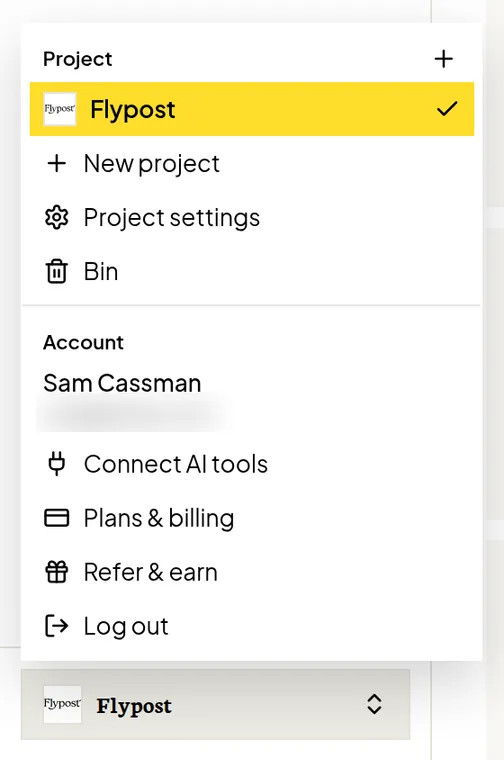
You stay on the same page, and everything reloads for the project you picked.
How do I create a new project?
- Open the project menu and click New project.
- Give it a Project name, and add the brand's Website if it has one.
- Click Create & set up.
Flypost then runs the same short setup you went through when you joined: it reads the website, builds the brand kit and learns the voice. Your other projects aren't touched. If you need to stop halfway, click Finish later at the top.
How many projects does my plan include?
| Plan | Projects included |
|---|---|
| Creator | 1 |
| Pro | 1 |
| Agency | 3, then $39 a month for each extra one |
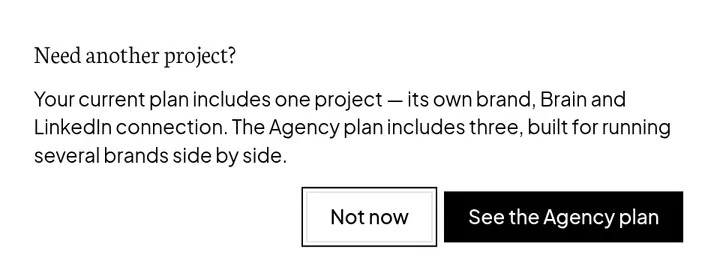
If you try to add a project beyond your plan, Flypost tells you and offers a way forward: on Creator and Pro it shows you the Agency plan, and on Agency there's a Talk to us button to add more.
How do I delete a project?
Only the project's owner can delete it.
- Open the project, then go to Project settings and the Advanced tab.
- In the Danger Zone, click Delete project.
- Type
DELETEto confirm.
The project goes to the Bin, where it stays for 30 days in case you change your mind. See how to restore deleted posts and projects.
Common questions
- How many projects can I have?
- Creator and Pro plans include one project. Agency includes three, and you can add more for $39 a month each by getting in touch.
- Can I rename a project?
- Not from the app yet. The name is set when the project is created. Contact support and we'll rename it for you.
- Why did Flypost open a different project on my other computer?
- Flypost remembers your last project separately on each browser. Pick the project you want from the menu at the bottom of the sidebar and it will remember that one.